
Start a New SwyftComply AI Cycle
A new cycle can be initiated for applications that have never been assessed or by requesting a rescan for previously assessed applications.
Start First Cycle
To start a new cycle:
- Navigate to SwyftComply AI.
- Open the required application from the Critical Applications table.
- Click Start first cycle
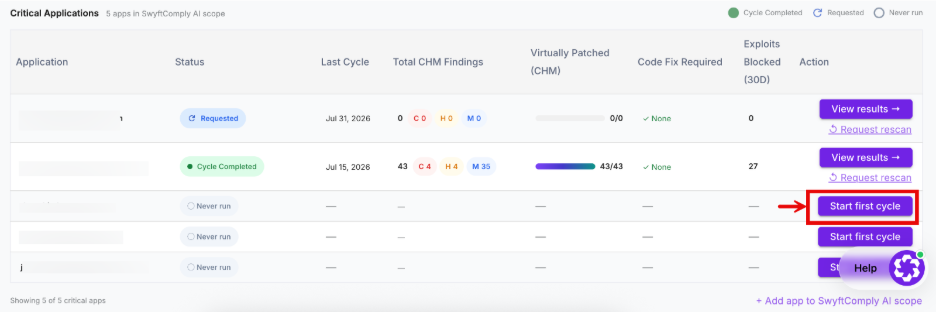
The Start SwyftComply AI Cycle dialog box appears.
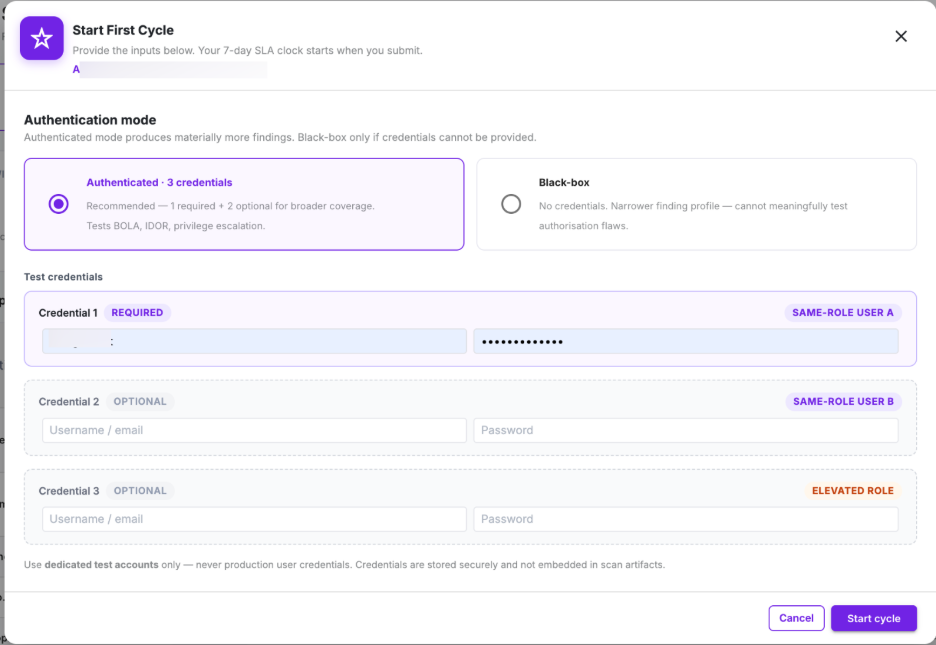
The Start SwyftComply AI Cycle dialog allows users to configure the assessment before initiating the penetration testing process.
Authentication Mode
The selected mode determines how the AI Pen-Test engine interacts with the application and the depth of security assessment performed.
SwyftComply AI supports two penetration testing modes.
- Authenticated
- Black-box
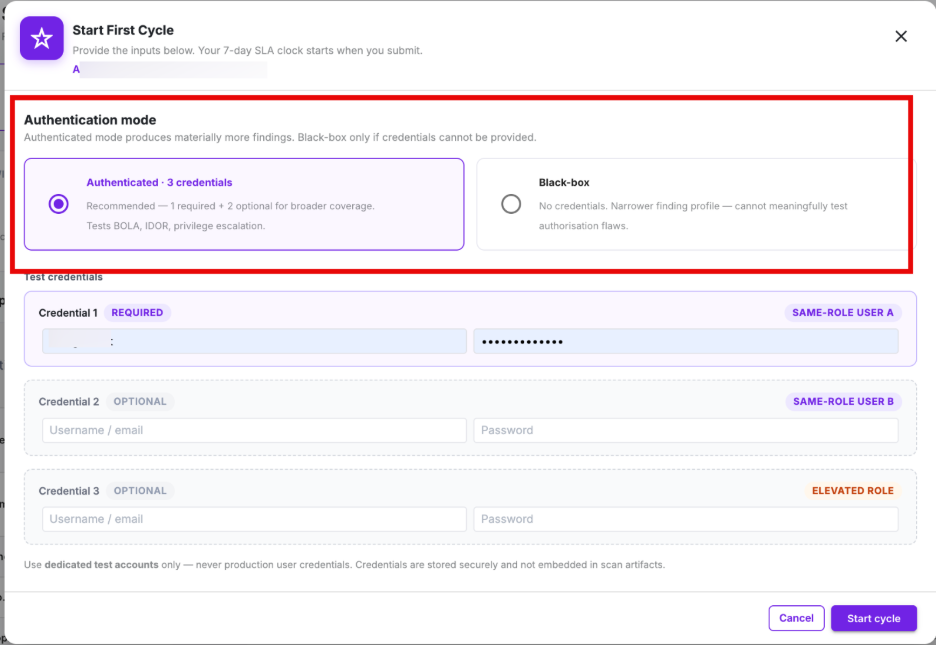
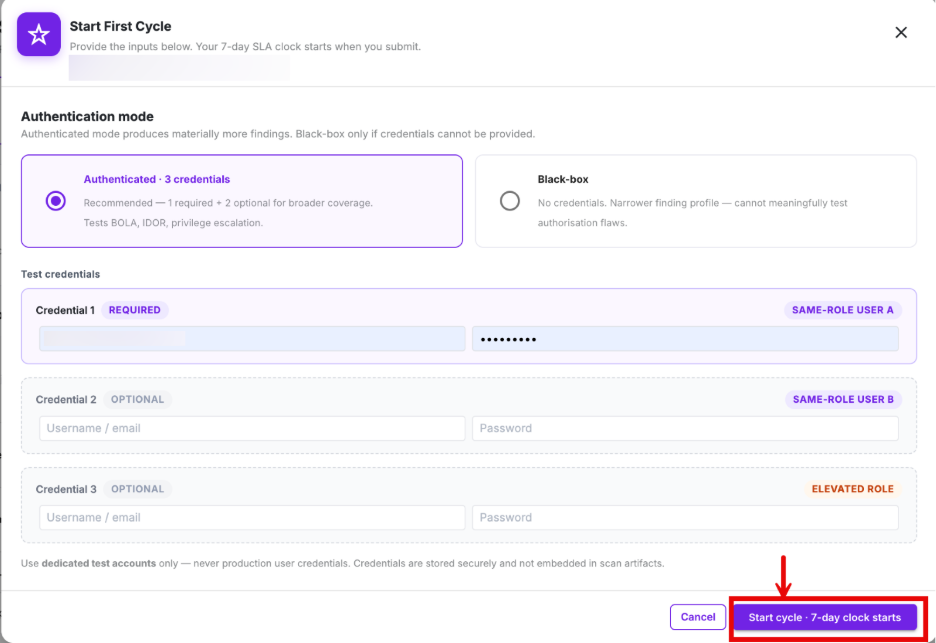
Authenticated Mode mode uses valid application credentials to perform penetration testing on authenticated areas of the application.
It provides the most comprehensive security assessment by identifying vulnerabilities such as business logic vulnerabilitiues, authorization issues, BOLA/IDOR, privilege escalation, RBAC weaknesses, and other security risks accessible only to authenticated users.
Test Credentials
When Authenticated Mode is selected, users must provide at least one pair of test credentials for the application.
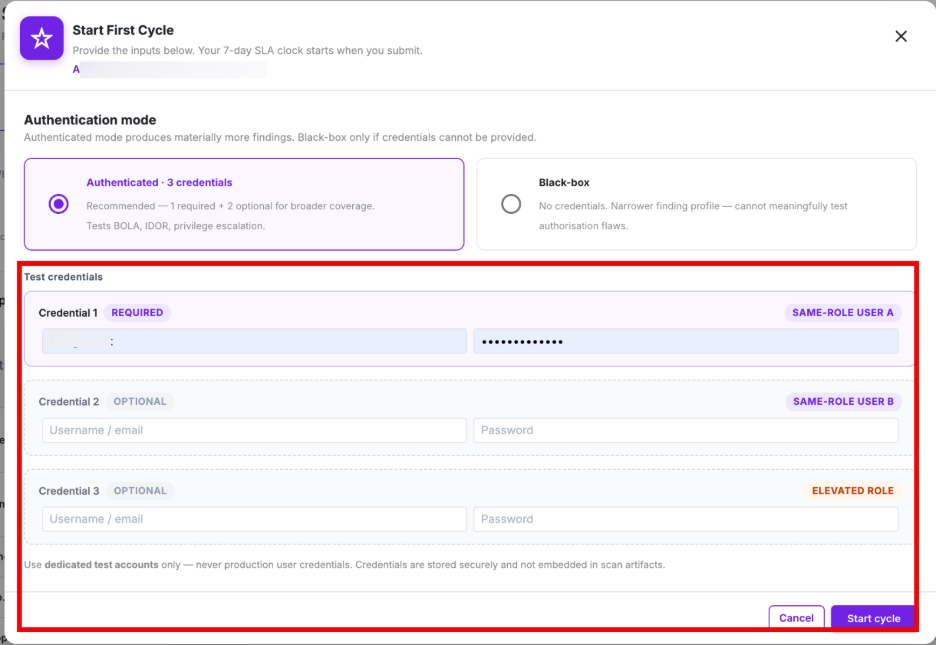
The dialog supports the following credential fields.
| Field | Description |
| Credential 1 | Required account used for authenticated penetration testing. |
| Credential 2 | Optional account used to validate authorization and privilege-related vulnerabilities. |
| Credential 3 | Optional account for testing multiple user roles or permission levels. |
Providing multiple test accounts enables SwyftComply AI to perform more comprehensive authorization testing across different user roles.
Credential Requirements
When configuring authenticated assessments:
- Use dedicated testing accounts.
- Ensure the accounts remain active throughout the assessment.
- Verify that credentials have sufficient permissions to access protected application functionality.
- Avoid using production user accounts.
- The provided credentials are securely stored by AppTrana and are not included in downloadable reports or scan artifacts.
Black-box Mode
Black-box Mode performs penetration testing without requiring application credentials.
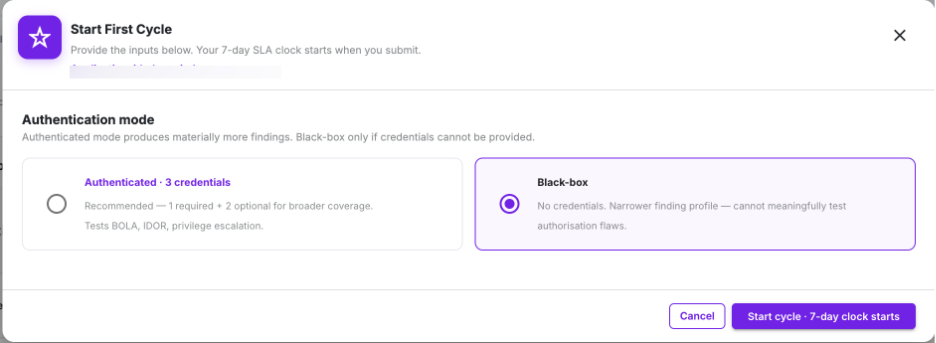
- The AI engine evaluates only publicly accessible portions of the application and simulates the behavior of an unauthenticated external attacker.
- This mode is useful when test accounts are unavailable or when organizations prefer to assess only their public attack surface.
Start Cycle
- After selecting the assessment mode and configuring any required credentials, click Start Cycle to begin the assessment.
- The platform validates the configuration and initiates a new SwyftComply AI assessment cycle.
- Click Cancel to close the dialog without initiating an assessment.
- Any information entered in the dialog is discarded, and no license cycle is consumed.
What Happens After Starting a Cycle
Once the Start Cycle button is clicked, SwyftComply AI automatically begins the assessment workflow.
The following actions occur:
License Validation
- The platform verifies that sufficient SwyftComply AI cycle credits are available.
- If no license credits remain, the assessment cannot be started.
License Consumption
- After successful validation, one SwyftComply AI cycle is deducted from the account's available license pool.
This applies to:
- New assessments
- Rescans
- Authenticated assessments
- Black-box assessments
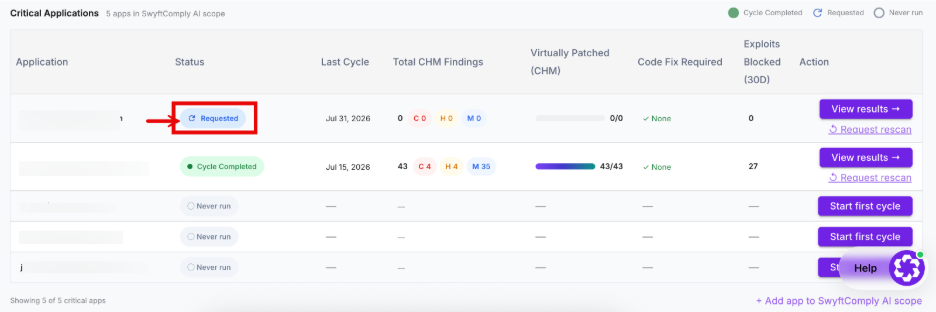
- Assessment Initialization
The application status changes to Requested
Request Rescan
- The Request Rescan option allows users to perform another AI Pen-Test after remediation activities have been completed.
- It is recommended to rerun a scan after application code changes, vulnerability remediation, major releases, or security configuration updates to ensure the application remains secure.
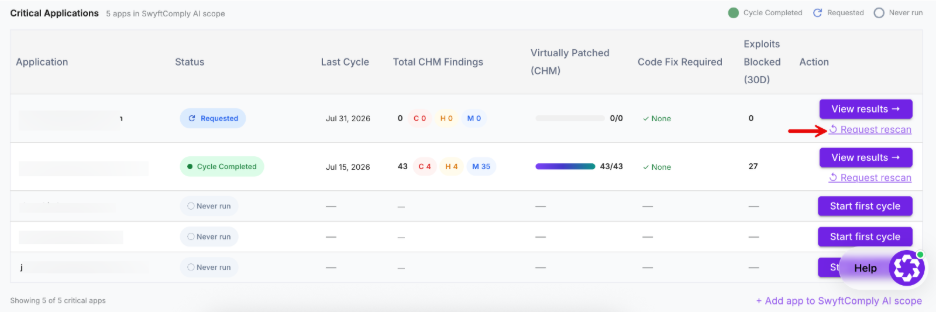
Every rescan consumes one additional SwyftComply AI license cycle.
Important Notes
- Every application must complete at least one AI Pen-Test cycle before detailed findings and reports become available.
- The Action options displayed depend on the application's current status.
- The dashboard automatically refreshes as the assessment progresses.
- The Virtually Patched, Exploits Blocked, and Code Fix Required metrics include only Critical, High, and Medium severity findings (CHM).