External Attack Surface Management (EASM)
This section is dedicated to manage and monitor your external assets' security posture.
Overview

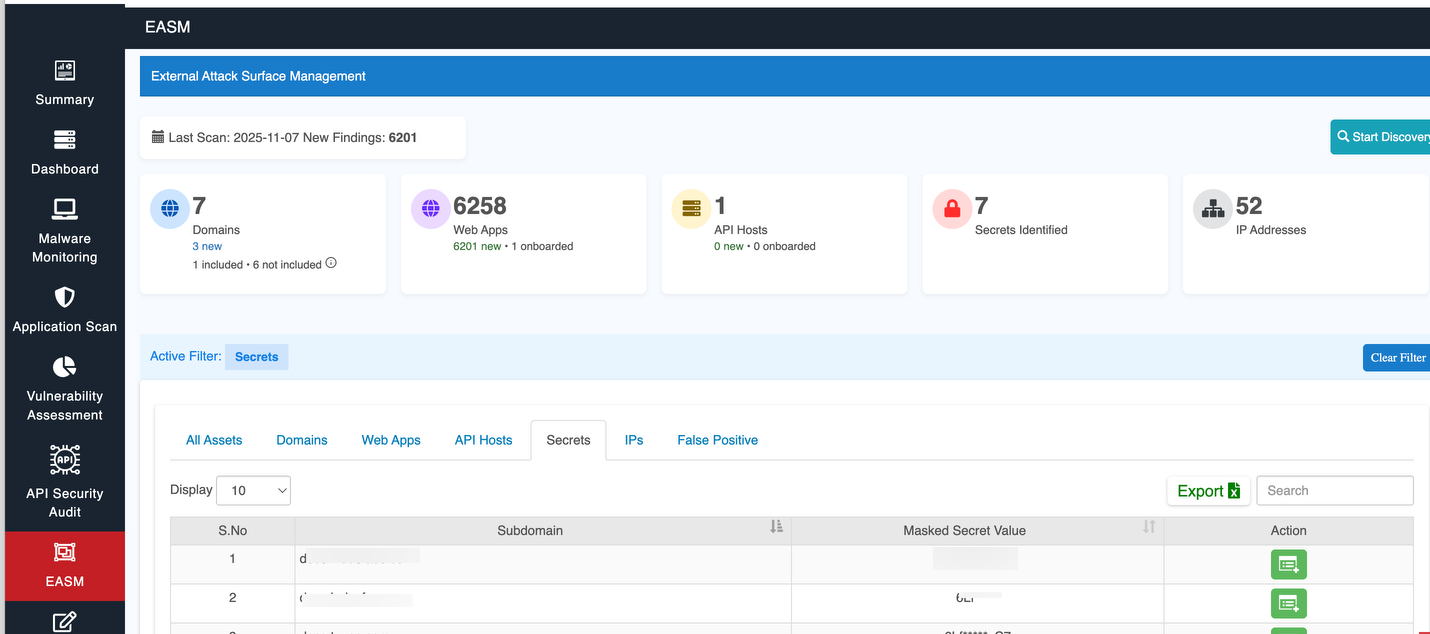
- Last Scan - The date when the most recent scan was performed to detect vulnerabilities, misconfigurations, and threats.
- New Findings: - The number of new security findings from the latest scan.
Start Discovery
Click Start Discovery to initiate the discovery process.

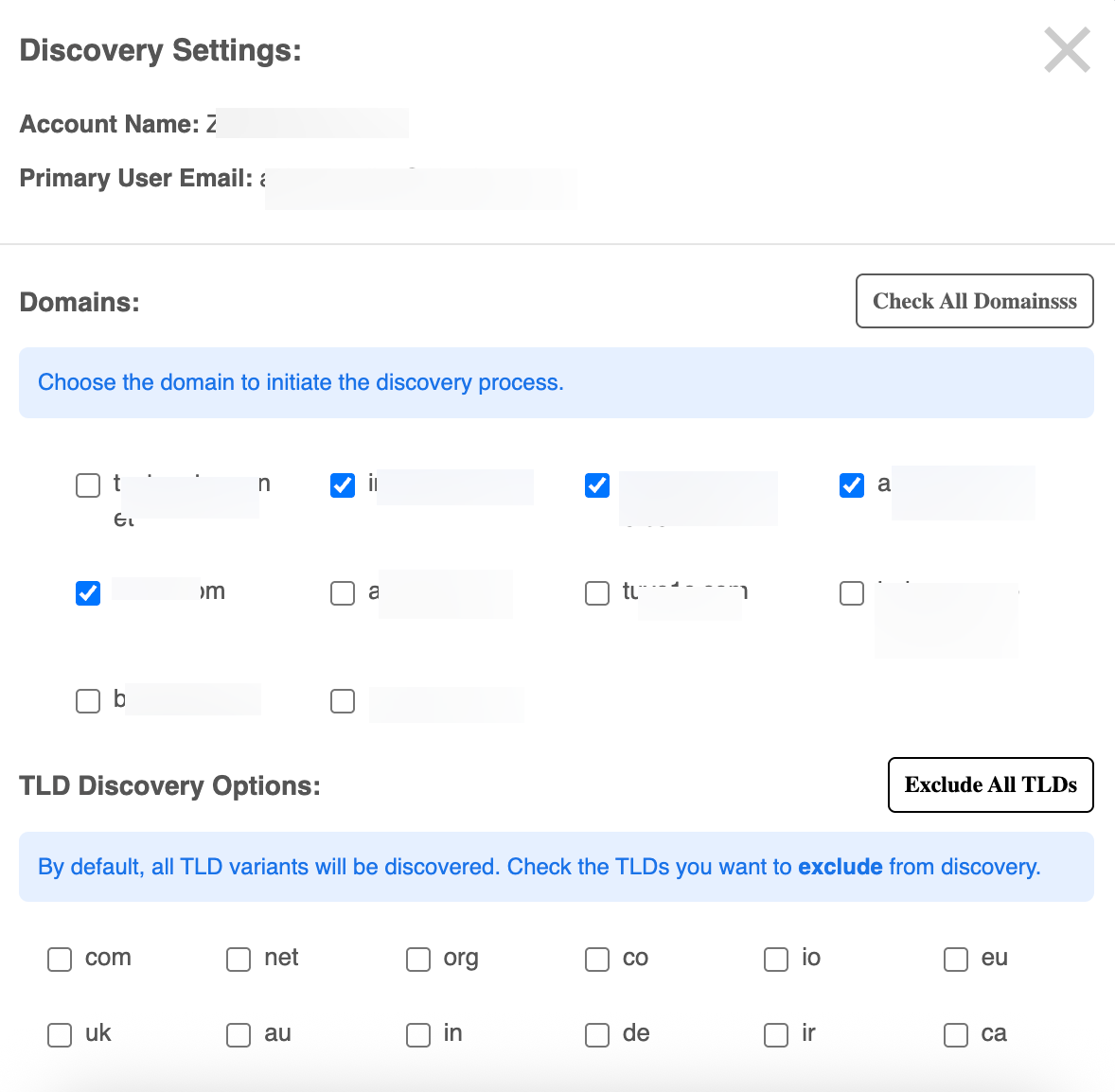
The Discovery Settings window opens for initiating a discovery process on specific domains and TLDs (Top-Level Domains).
Domains
- Choose the domain to initiate the discovery process -A list of domains is displayed with checkboxes next to each one:
- Check All Domains: This button will select all domains in the list at once for the discovery proces
TLD Discovery Options:
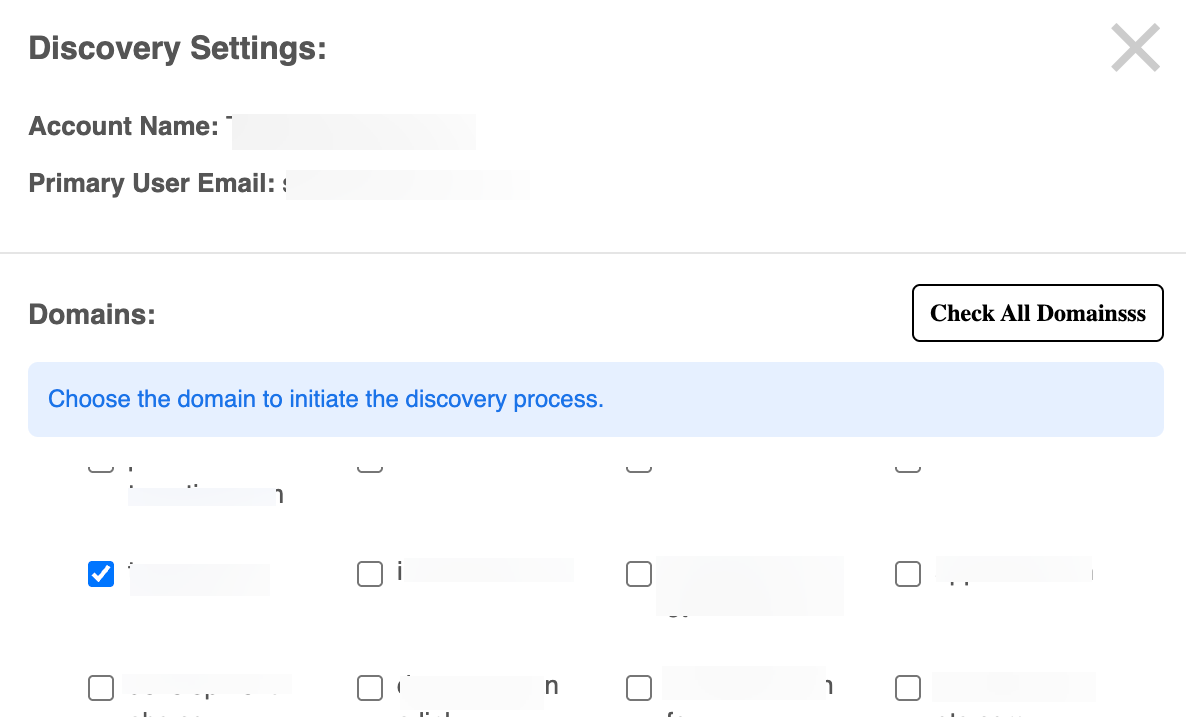
This section allows you to select or exclude specific TLDs (e.g., .com, .net, .org, etc.) during the discovery process.
Users can uncheck any TLD they wish to exclude from the discovery process (e.g., .co, .io, .eu).
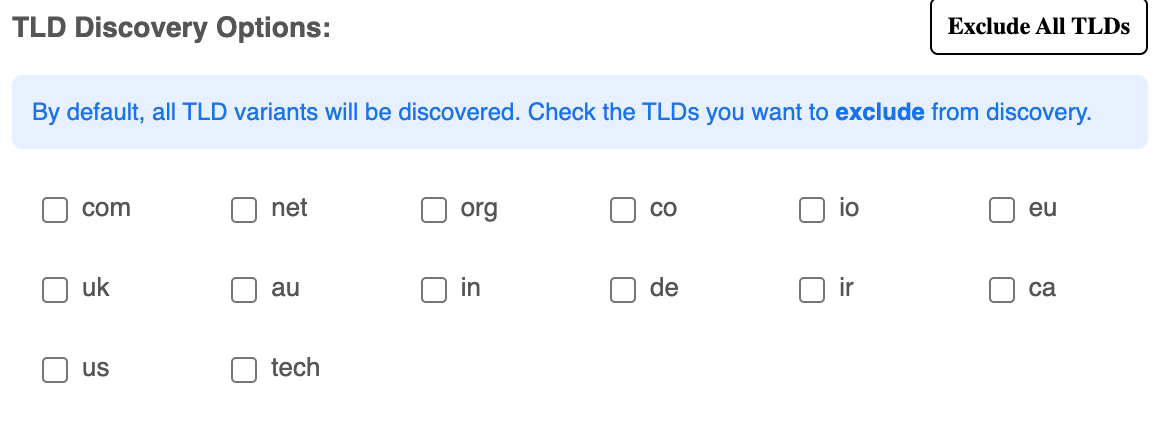
Exclude All TLDs: Clicking this button will uncheck all TLD options, effectively excluding all TLDs from the discovery.
Note: Unless specified otherwise, the tool will consider all possible TLD variants for discovery
Start Discovery: Once the domains and TLDs are selected, you can click this button to initiate the discovery process.

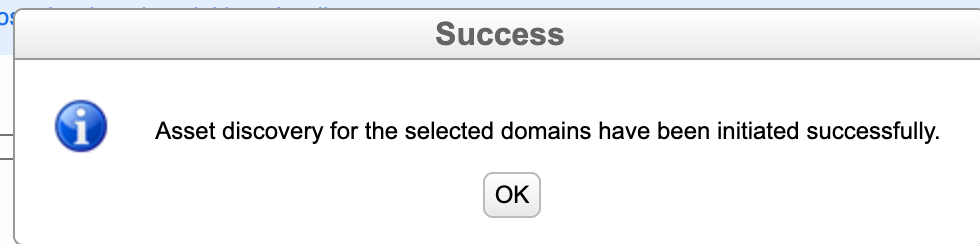
A confirmation window will popup:
Key Security Metrics

This section presents a high-level summary of key metrics about your digital assets.
| Parameters | Descriptions |
| Domains | Displays the total number of domains being monitored. It also shows how many are actively included in the scan and how many are not. |
| Web Apps | This section tracks the total number of web applications identified across the environment, including the ones that are actively monitored. |
| API Hosts | Displays the number of API hosts, which are critical for any API-based services. This section helps monitor their status and security posture. |
| Secrets | Represents the number of sensitive data or secrets, like API keys or credentials, that have been detected in the scanned assets. |
| IP Addresses | Provides a count of the IP addresses related to the monitored assets, helping to track exposure at the network level. |
Key Asset Views
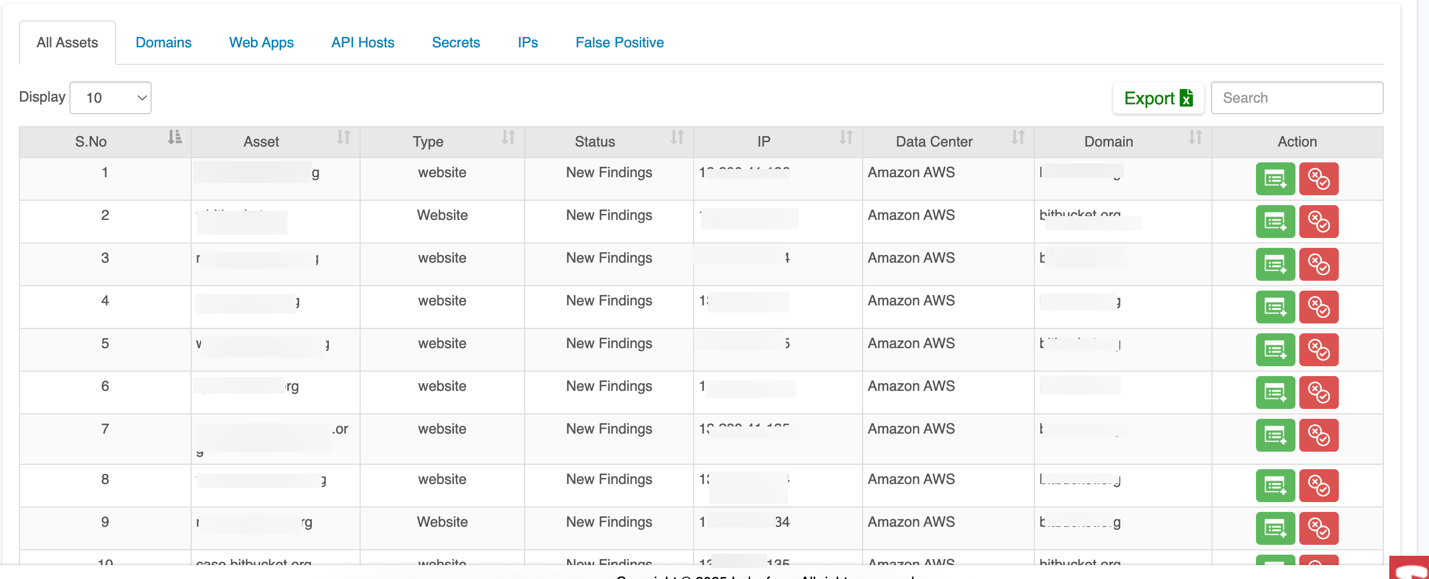
The asset tabs (All Assets, Domains, Web Apps, API Hosts, Secrets, IPs, False Positive) act as dynamic filters on the unified asset inventory.
Tab | Description |
|---|---|
| All Assets | Displays a comprehensive list of all assets that are being monitored, including domains, web apps, and other resources where vulnerabilities or secrets have been detected. |
| Domains | Shows a list of domains that have been onboarded and where secrets or vulnerabilities are identified. It typically includes the domain name and other relevant details like severity of the issue. |
| Web Apps | Displays detected vulnerabilities or secrets related to web applications. This tab includes information about the app, such as its URL, associated domain, file paths, and any exposed secrets. |
| API Hosts | Provides a list of API hosts where secrets (such as API keys, tokens) or vulnerabilities have been detected. The information includes the API host, the secret found, and its location. |
| Secrets | Focuses specifically on secrets (such as API keys, tokens, or other sensitive data) that have been exposed or detected within files or code on various assets. Each entry includes the secret's location and severity. |
| IPs | Displays the IP addresses that are connected to detected vulnerabilities, offering insights into the source or destination of malicious or unauthorized activity associated with the vulnerabilities. |
| False Positive | Identifies potential false positives — vulnerabilities or secrets that were flagged as issues but have been verified as non-issues. This tab helps reduce noise by showing false alarms. |
1. All Assets
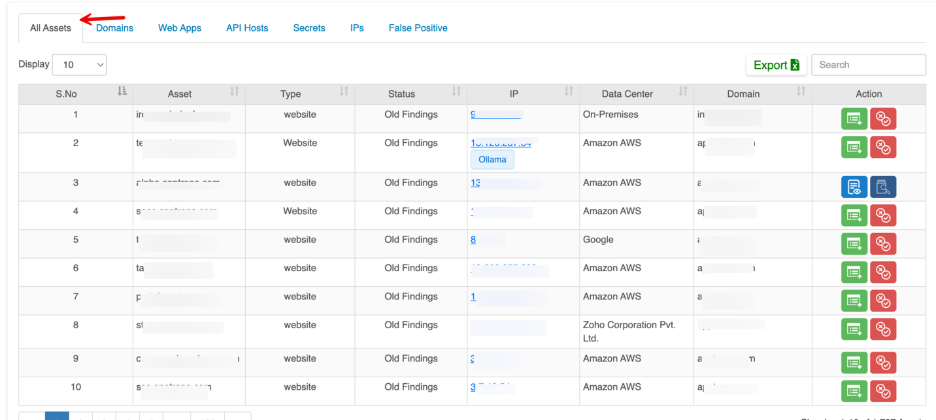
The All Assets section provides a unified view of every externally discovered asset across domains, web applications, API hosts, IP addresses, exposed services, and AI infrastructure.
It acts as the central inventory of your organization’s external attack surface, combining discovery, exposure context, and actionable controls in one place.
Parameter | Description |
| Asset | Discovered asset such as domain, website, API host, IP, or service |
| Type | Asset category (Website, API Host, Domain, IP, AI Service, Secret) |
| Status | Indicates current or historical findings |
| IP | IP address mapped to the asset. Click the individual IP address to open the IP details view |
| Data Center | Hosting provider or infrastructure location |
| Domain | Associated parent domain |
| Action | Available management actions
|
AI Server Exposure
All Assets section also highlights publicly accessible AI runtime services such as Ollama that are unintentionally exposed to the internet.
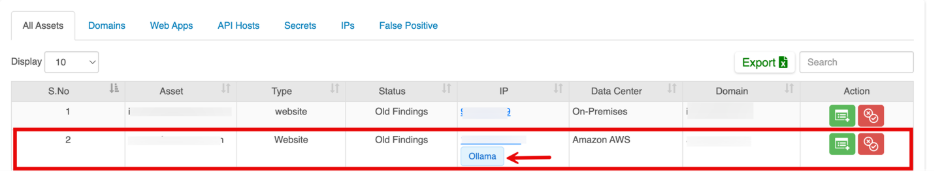
AI Server Detail View (IP-Level View)
Clicking on the IP address opens the detailed asset view for the identified AI server.
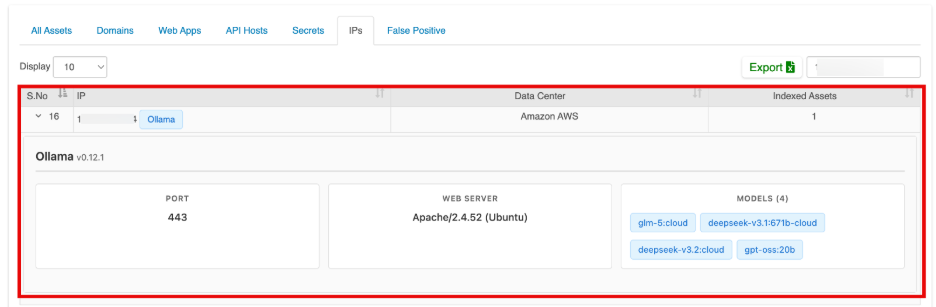
| Field | Description |
| IP Address | Publicly exposed IP hosting the AI runtime |
| AI Server | Detected AI service (e.g., Ollama) |
| Version | Runtime version identified during fingerprinting |
| Port | Exposed service port (e.g., 443) |
| Web Server | Underlying web server and OS details (if detectable) |
| Data Center | Hosting provider information (e.g., AWS) |
| Deployed Models | List of publicly discoverable AI models |
2. Domains Tab
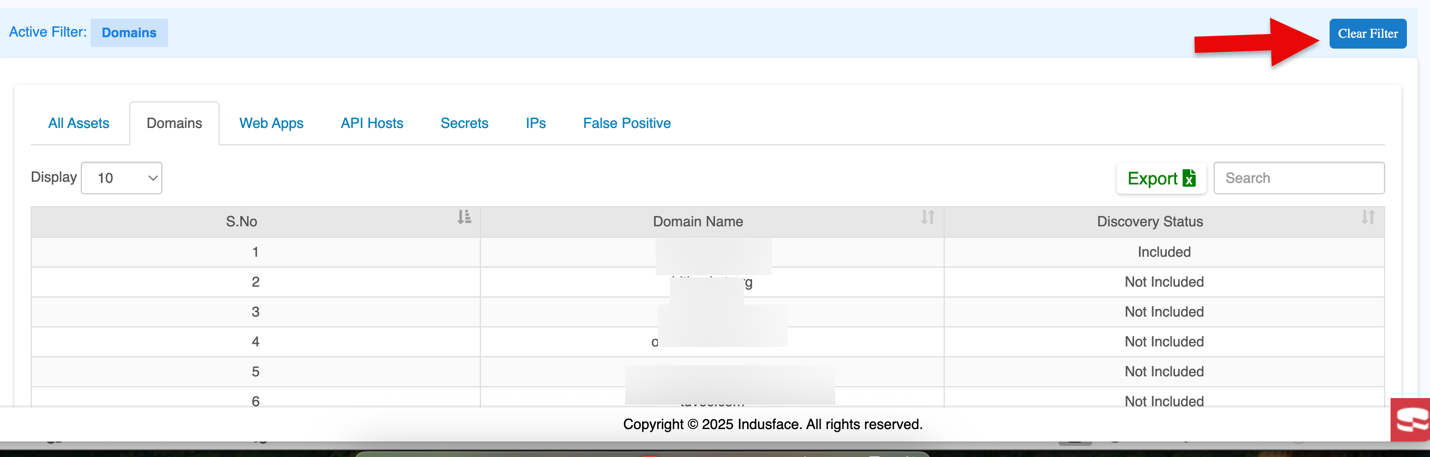
When the Domains tab is selected the All Assets inventory is filtered to display only domain-level assets

| Parameter | Description |
| Domain Name | Root domain discovered through EASM |
| Discovery Status | Included - Domain discovered and onboarded into protection Not Included -Domain discovered but not yet onboarded into protection |
3. Web Apps
The Web Apps tab provides a filtered view of all discovered web applications across your external environment. When this tab is selected, the unified asset inventory dynamically filters to display only website-type assets.
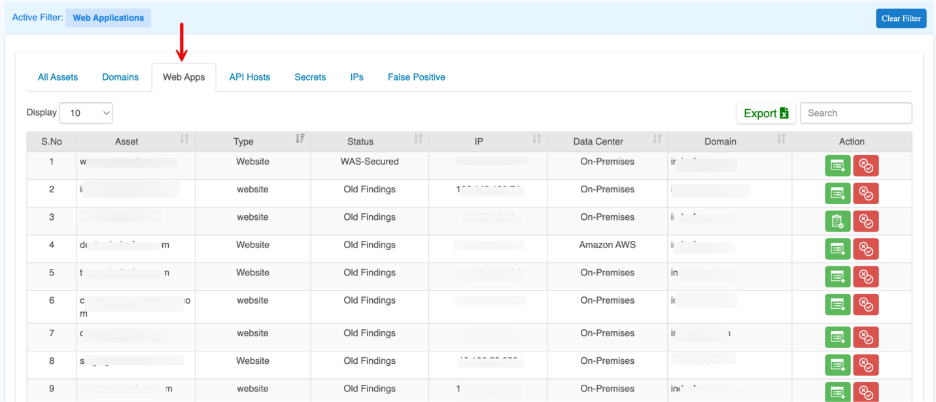
| Parameter | Description |
| Asset | Web application URL or subdomain |
| Type | Asset category (Website) |
| Status | Current security posture of the application |
| IP | Backend IP address hosting the application |
| Data Center | Hosting environment such as On-Premises or Cloud provider |
| Domain | Parent domain associated with the application |
| Action | Available management actions
|
4. Secrets
This section give an overview of the assets containing secrets:
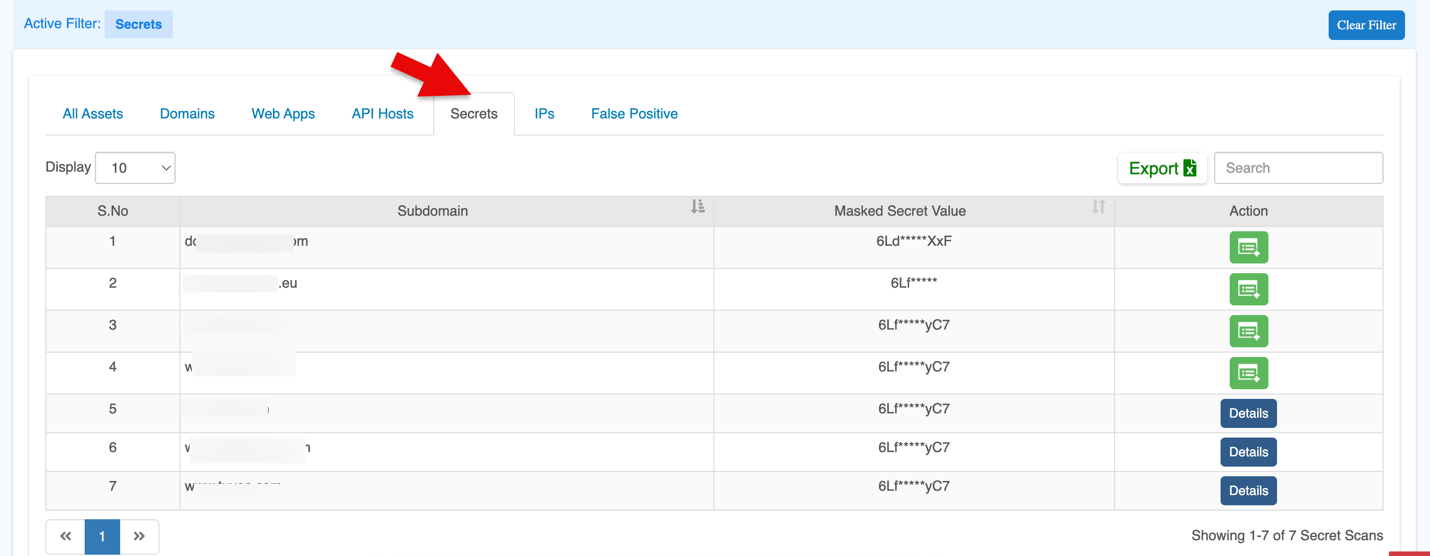
| Parameters | Descriptions |
| Subdomain | Any subdomain associated with the asset, which helps identify the specific section of the organization’s digital footprint.
|
| Masked Secret Value | The actual secret value with part of it masked (for security reasons). |
| Action | Shows available actions. For onboarded domains, click Details to view more information. If not onboarded, use Add Website to include it. (If a domain has not completed verification or setup, the platform shows this option so the user can onboard it.)
|
Actions
Secrets Overview in Vulnerabilities
By clicking Details, you can view the complete information about the secrets and navigate to the Secrets tab in Vulnerabilities.
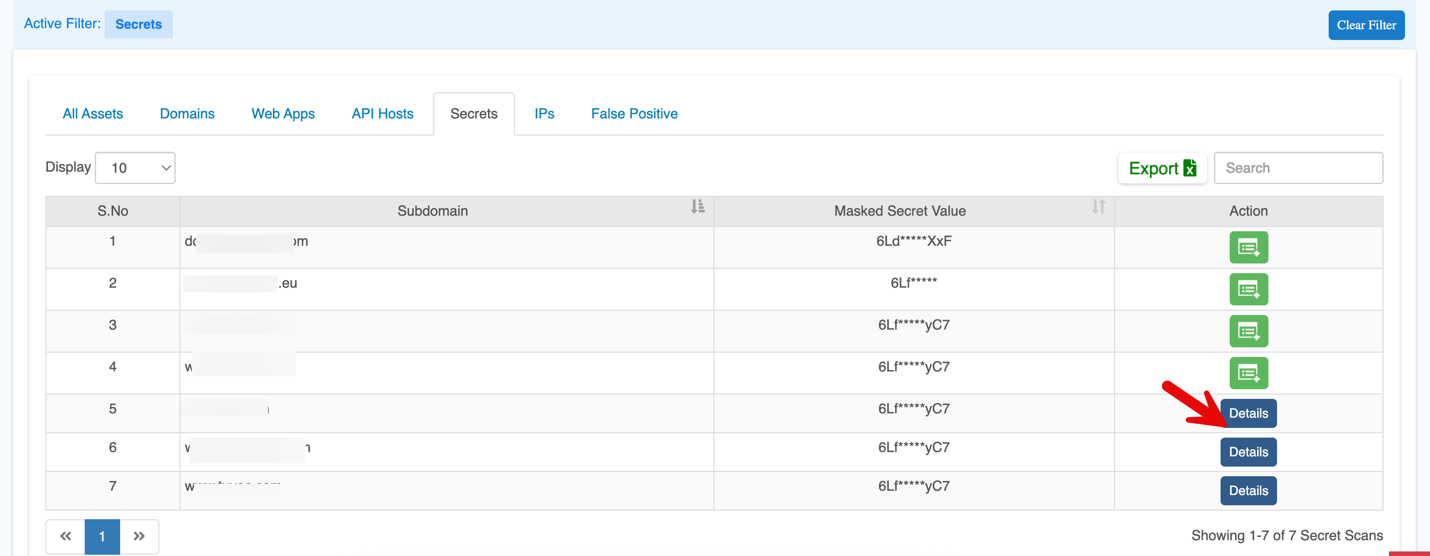
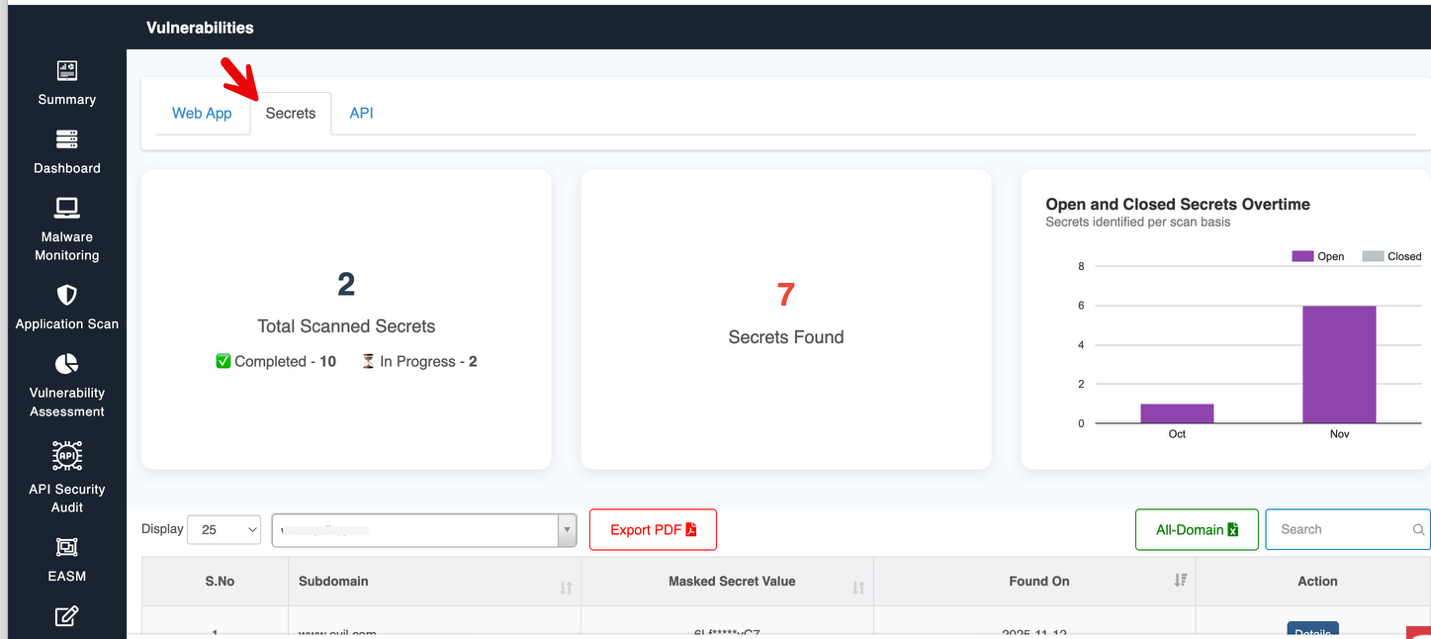
For comprehensive information about identified secrets, their severity and action taken, refer to the Vulnerbailities - > Secrets Documentation.
Add Website
Click the Add Website button to onboard a new application or API.
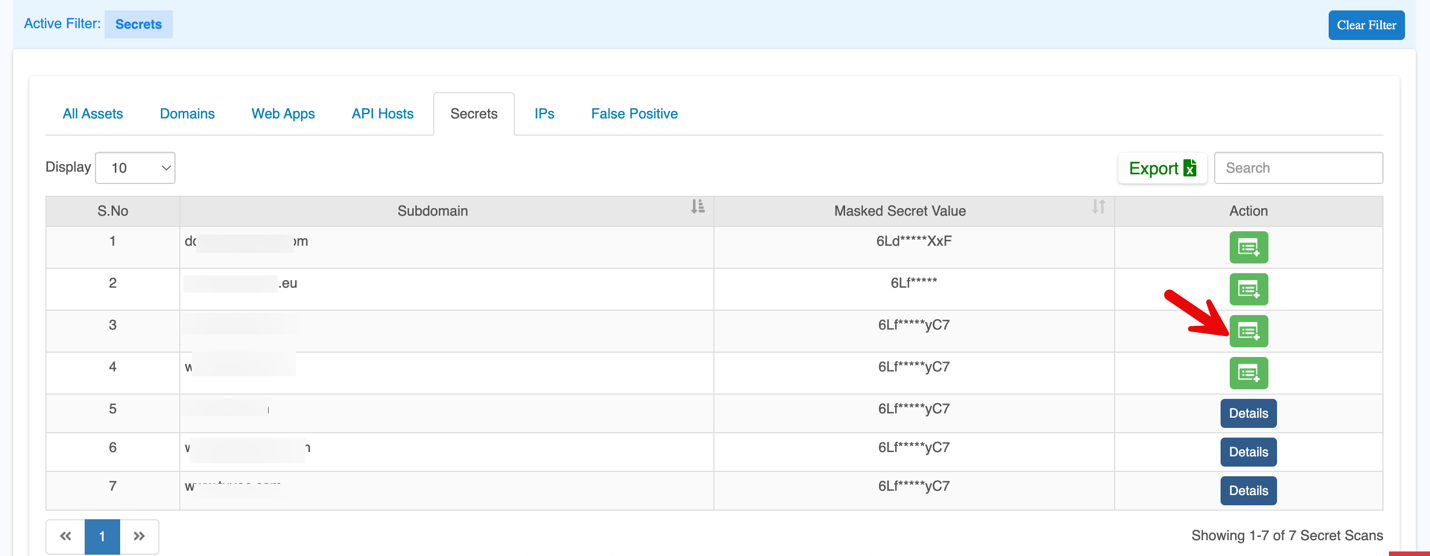
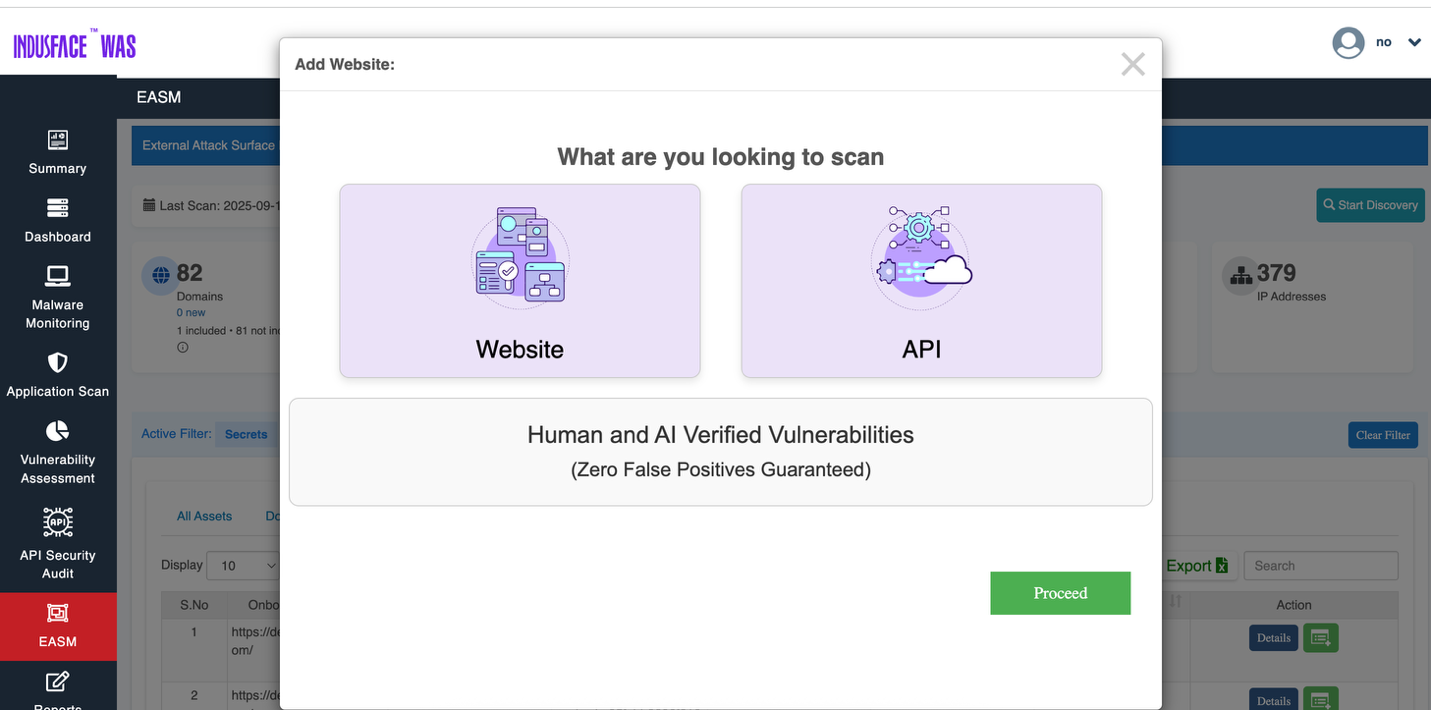
For step by step guide on adding new webiste, refer to the WAS Consulting License documention.
5. API Hosts
When this tab is selected, the unified asset inventory dynamically filters to display only API-type assets.

Parameter | Description |
| Asset | API host name or base endpoint |
| Type | Asset category (API) |
| Status | Current exposure or vulnerability posture |
| IP | IP address hosting the API service |
| Data Center | Cloud provider or infrastructure source |
| Domain | Parent domain associated with the API |
| Action | Available management actions
|
6. IPs
When this tab is selected, the unified asset inventory dynamically filters to display only IP-level assets.
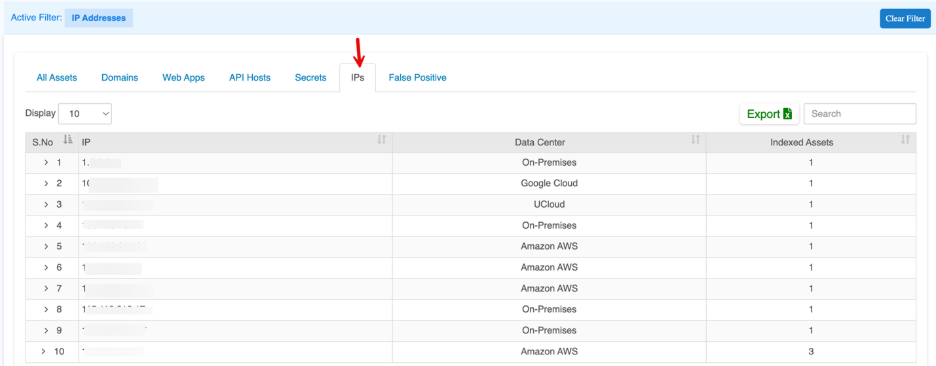
| Parameter | Description |
| IP | Public-facing IP address |
| Data Center | Hosting provider or infrastructure source |
| Indexed Assets | Number of discovered assets linked to this IP |
7. False Positive
The False Positive tab provides a filtered view of assets and findings that have been intentionally suppressed after validation.
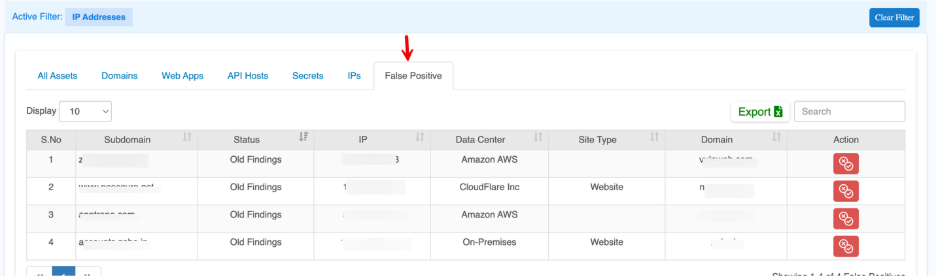
| Parameter | Description |
| Subdomain | The asset or endpoint marked as false positive |
| Status | Original finding state before suppression |
| IP | IP address associated with the asset |
| Data Center | Hosting provider or infrastructure source |
| Site Type | Asset category such as Website or API |
| Domain | Parent domain of the asset |
| Action | Action: Not a False Positive Click Not a False Positive to restore the asset or finding into active monitoring. This immediately: • Removes suppression
|
Asset Control and Filter Options
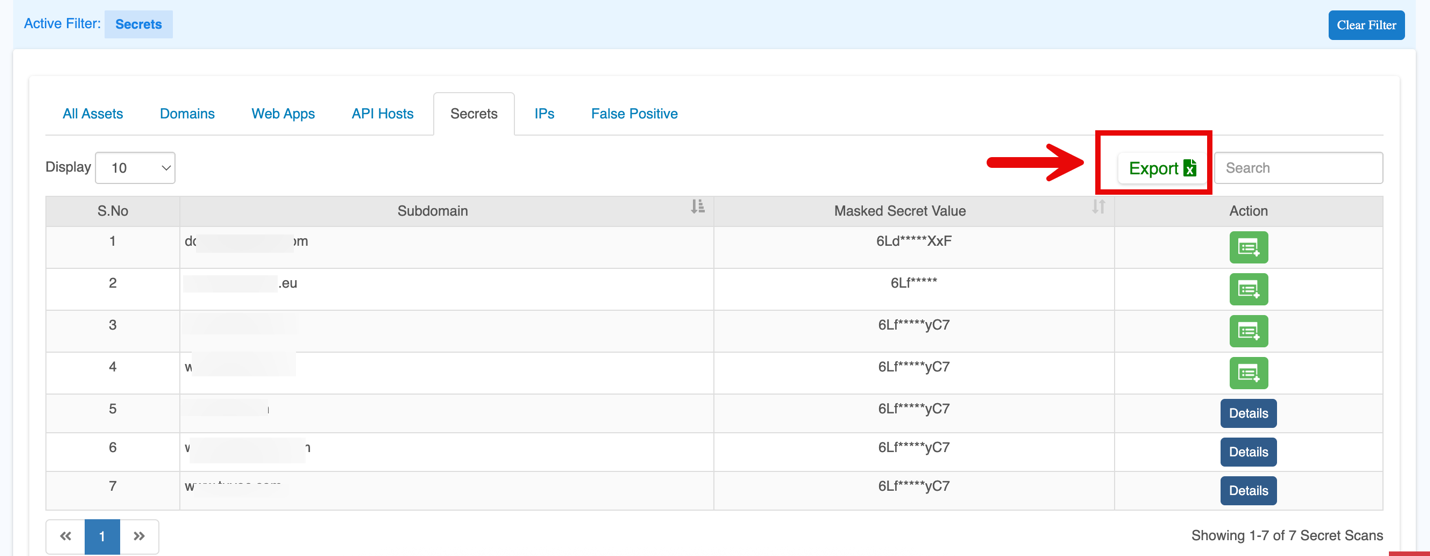
Export
Allows to export the secrets or asset findings into CSV format for further reporting or analysis. The exported report will include secrets only for the onboarded sub-domains.
Search
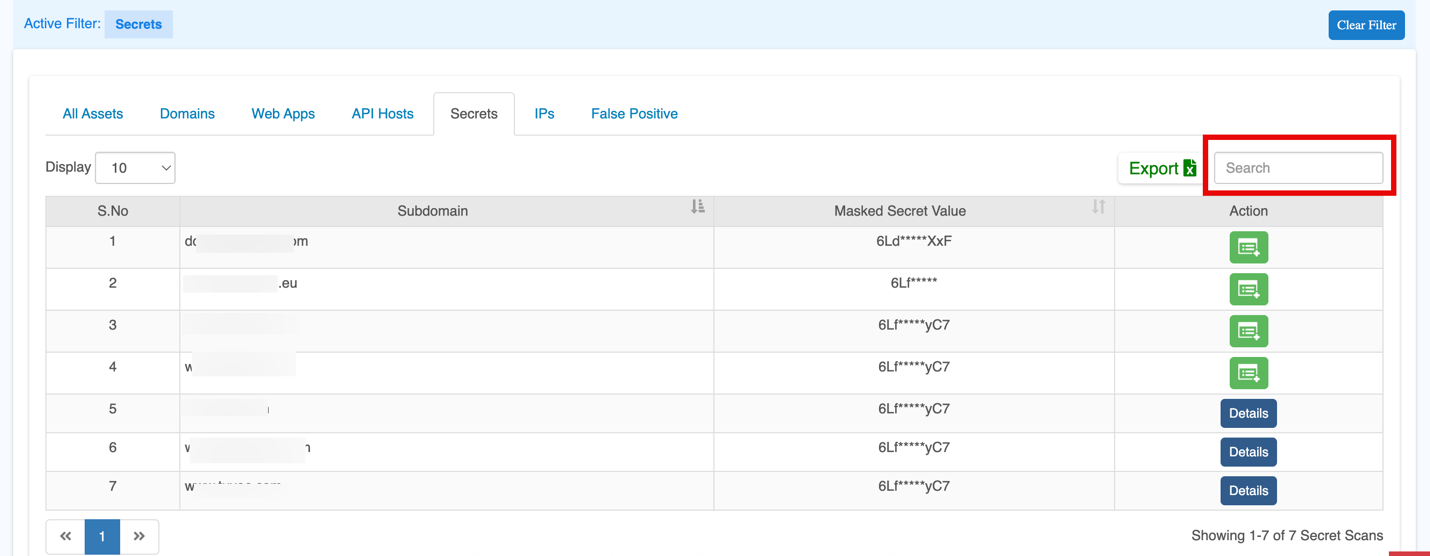
The search bar helps you quickly find specific assets, secrets, or vulnerabilities by entering keywords or applying filters (e.g., subdomains, severity level).
Clear Filter
When you click on Clear Filter, it resets any active filters and takes you back to the All Assets tab.