---
title: "Manual Scan "
url: "https://docs.indusface.com/en/article/manual-scan-mssp-consultant"
language: "en"
last_updated: "2025-10-09T09:04:04.176Z"
---
# Manual Scan
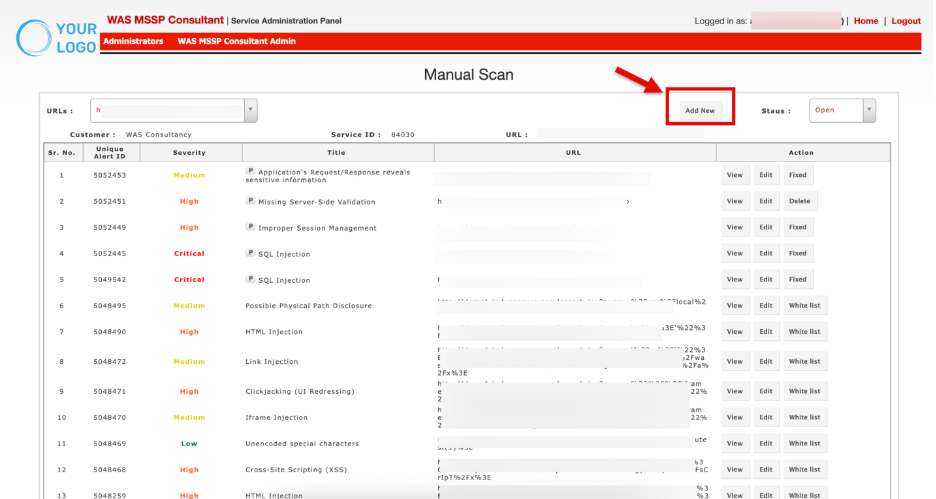
The **Manual Scan** page provides a detailed view of vulnerabilities identified during manual assessments of an application. It allows consultants to review findings, categorize them by severity, and take necessary actions such as editing, fixing, or whitelisting.
## **Accessing Manual Scan**
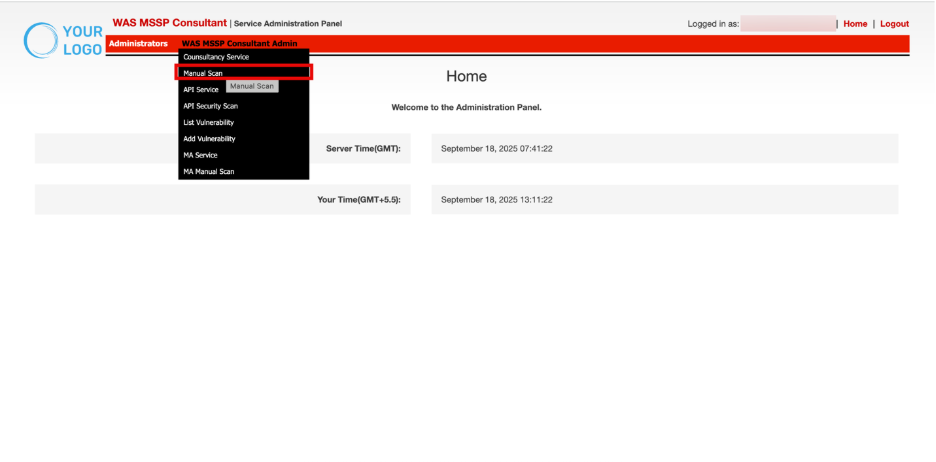
- Navigate to **WAS MSSP Consultant Admin.**
- Click **Add Vulnerability**.
### **Choose Application**
Displays the list of application URLs scanned. Users can select a specific URL from the dropdown to filter vulnerabilities associated with that endpoint.
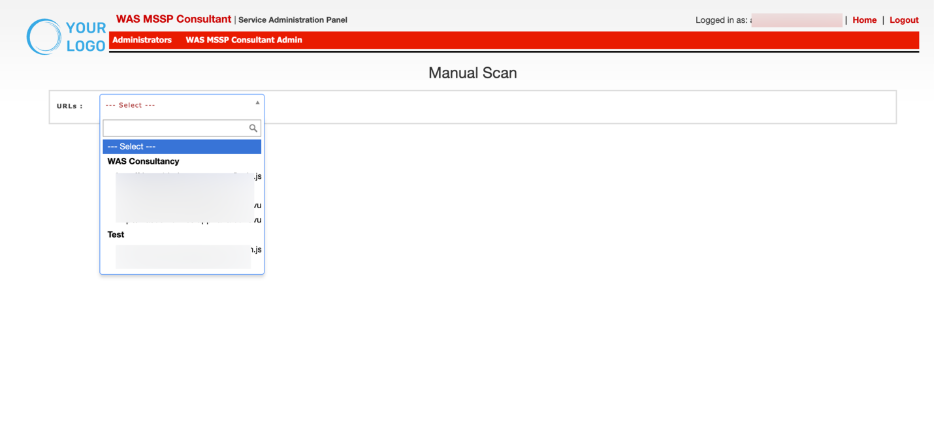
This ensures that vulnerabilities identified outside of automated scans (e.g., manual penetration testing, third-party scanners) can still be tracked and remediated within the centralized system.
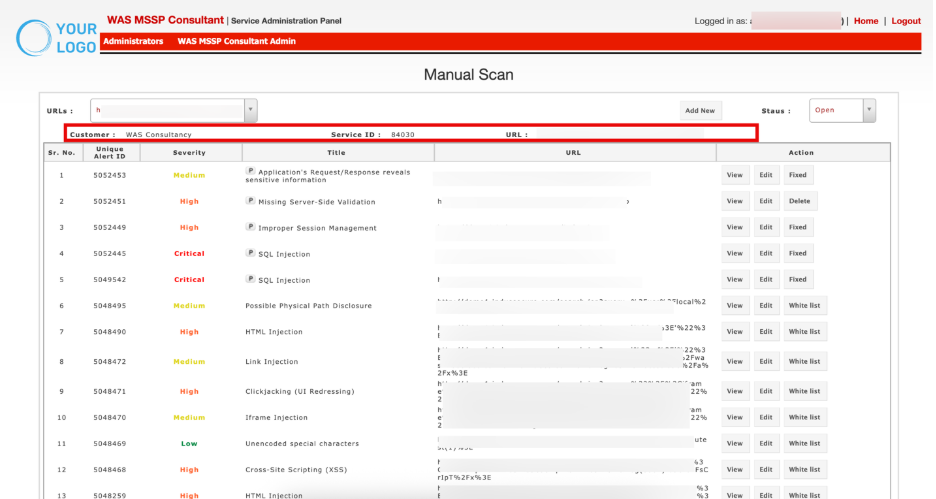
## Customer & Service Details
- **Customer**: Displays the customer account associated with the scan (e.g., *WAS Consultancy*).
- **Service ID**: A unique identifier for the scan service instance.
- **URL**: Shows the base URL of the application where the vulnerabilities were identified.
A**dd New**:
Click Add New to manually add a new vulnerability record to the selected URL.
The **Add Vulnerability** window allows consultants to manually log or update vulnerability findings in the MSSP WAS platform.
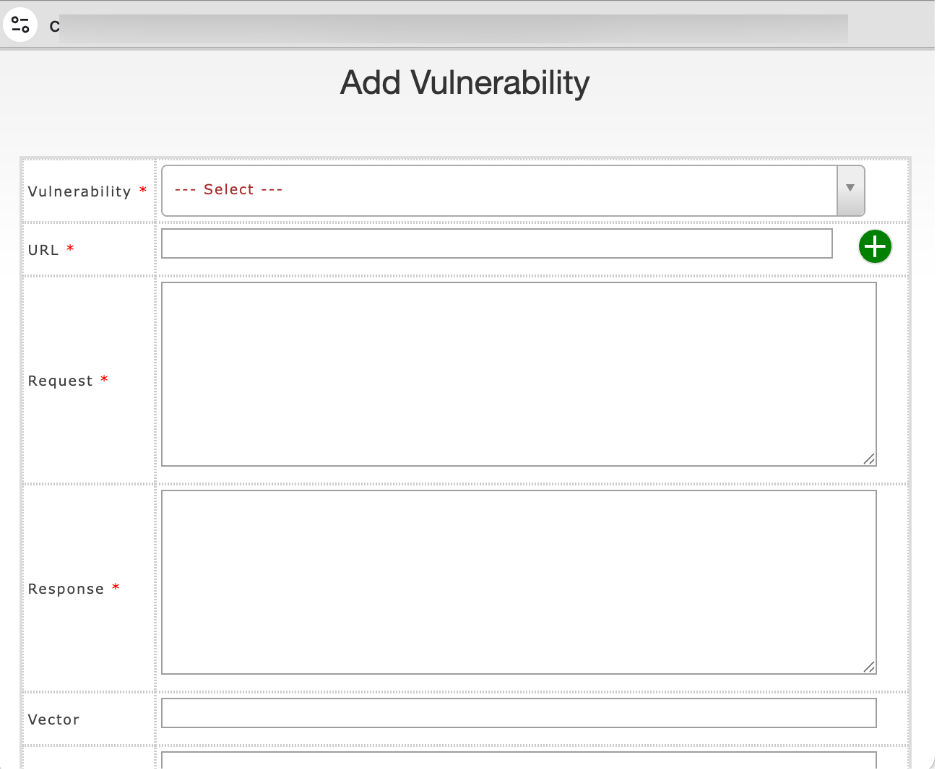
### Manual Vulnerability Add – Field Reference
| **Field** | **Purpose** | **Example Entry** |
| --- | --- | --- |
| **Vulnerability** | Choose Name/type of issue you are reporting. | SQL Injection – \[Refer to the **Add Vulnerability** document for steps to add a new vulnerability to the database\] |
| **URL** | If the same vulnerability is present on more than one URL, click the **+** button to add additional URL entries.. | http://demo1.example.com/login.jsp https://demo1.example.com/admin/admin.jsp?user=1 (added via **+**) |
| **Request** | HTTP request that triggers the issue (evidence). | POST /login.jsp?user=’ OR 1=1 -- |
| **Response** | Server’s reply showing proof of the vulnerability. | SQL error: near "’" |
| **Vector** | Attack vector or method used to exploit the flaw. | Injection via input parameter |
| **CVSS Score** | Severity rating based on CVSS standards. | 9.1 (Critical) |
| **CVSS Vector** | Breakdown of CVSS metrics. | AV:N/AC:L/PR:N/UI:N/S:U/C:H/I:H/A:H |
| **CWE ID** | Weakness category ID from CWE database. | CWE-89 (SQL Injection) |
| **OWASP** | Mapping to OWASP Top 10 categories. | A03:2021 – Injection |
| **PCI DSS** | PCI requirement this vulnerability impacts. | Req. 6.5.1 – Input Validation |
| **First Found** | Date this vulnerability was first identified. | 2025-09-15 |
| **Found Date** | Date of most recent detection. | 2025-09-17 |
| **Open Status** | Current state of the vulnerability. | Open / Fixed / Whitelisted |
| **Severity** | Risk level based on business and technical impact. | Critical |
| **Description** | Summary of the vulnerability and technical background. | “Login form does not validate input, allowing SQL injection.” |
| **Business Risk** | Potential business impact of exploitation. | “Attackers can exfiltrate customer data and compromise accounts.” |
| **Solution** | Recommended remediation steps. | “Use parameterized queries and input validation.” |
| **Best Practice** | Industry guidelines or secure coding practice reference. | “Apply least privilege and sanitize inputs.” |
| **Other Scanner** | Reference if another scanner also detected this issue. | Acunetix, Burp Suite |
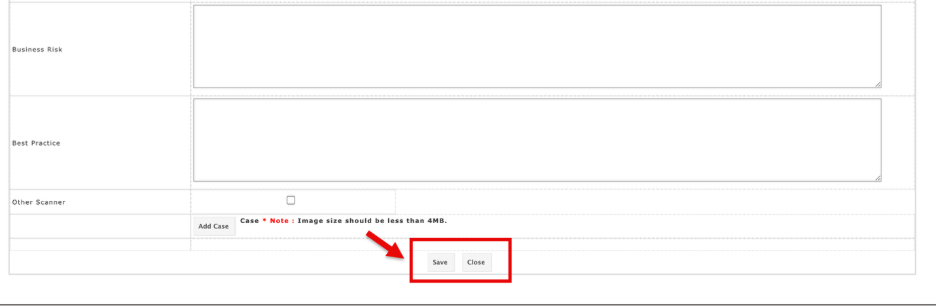
| **Add Case** | Upload supporting evidence (screenshot/logs, < 4MB). | SQLi\_screenshot.png |
## **Workflow**
- Fill in mandatory fields (*Vulnerability, URL, Request, Response*).
- Complete additional fields for context, compliance mapping, and remediation.
- Attach supporting evidence if required.
- **Save** the entry to update the system records.
- The new vulnerability will be added to the vulnerability table.
## Manual Scan Vulnerability Details
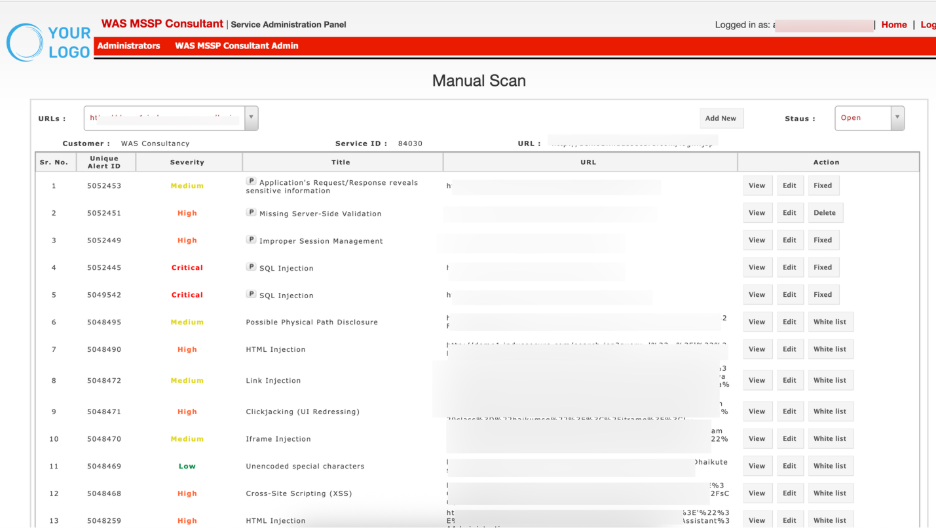
This section lists all vulnerabilities found during the scan, along with their severity and details.
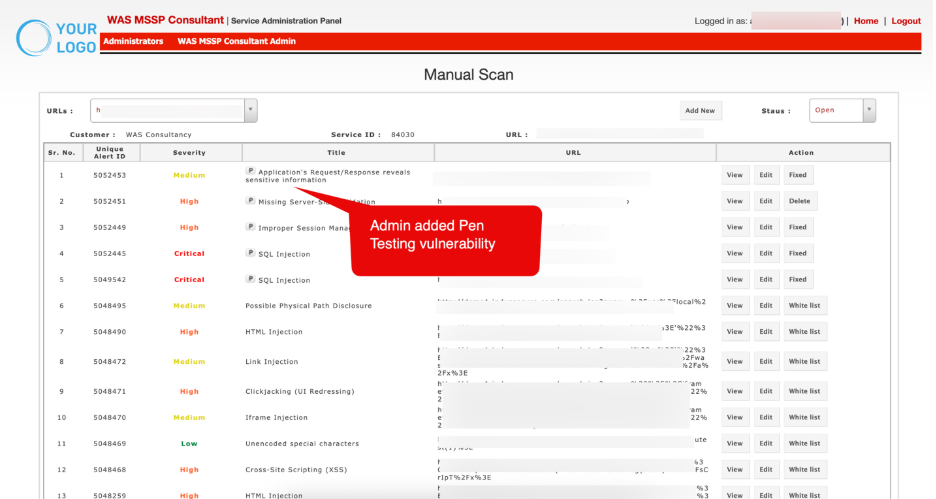
| **Column** | **Description** |
| --- | --- |
| **Sr. No.** | Sequential number for easy reference of vulnerabilities. |
| **Unique Alert ID** | System-generated unique identifier for each vulnerability finding. |
| **Severity** | Classification of the vulnerability’s impact level, typically: *Low, Medium, High, Critical.* Color coding helps quickly identify critical risks. |
| **Title** | Brief description of the vulnerability (e.g., SQL Injection, Improper Session Management). A prefix P may indicate that the issue was detected in parameters. |
| **URL** | The exact application endpoint where the vulnerability was identified. |
| **Action** | Provides remediation or management options |
### Action
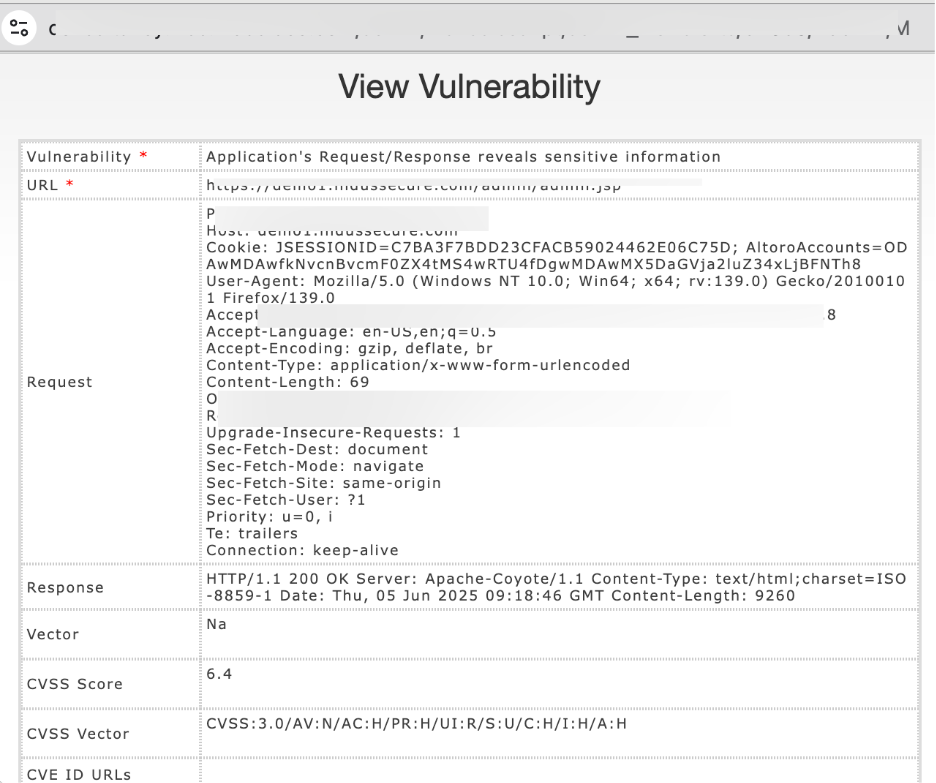
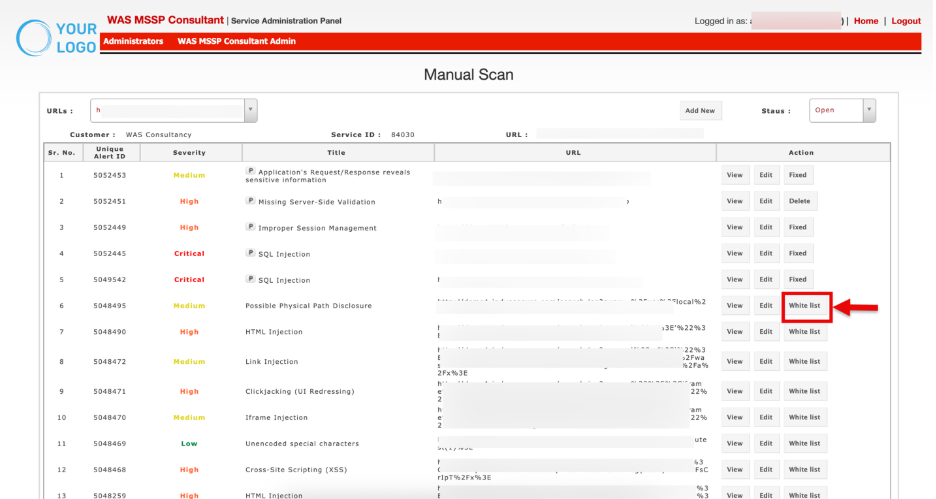
**View**: Click View to open detailed information about the vulnerability, including URL, request/response, CVSS score, business risks and recommendations.
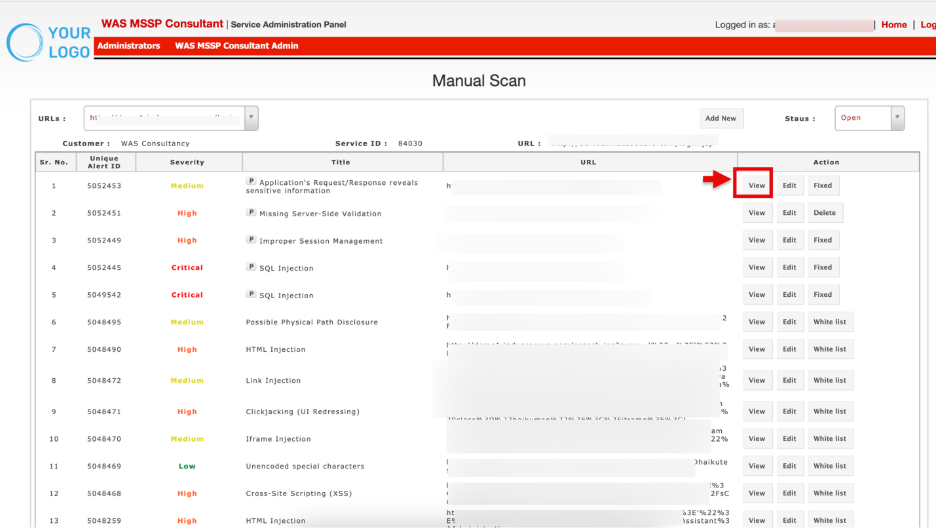
The **View Vulnerability** window will open in read-only mode.
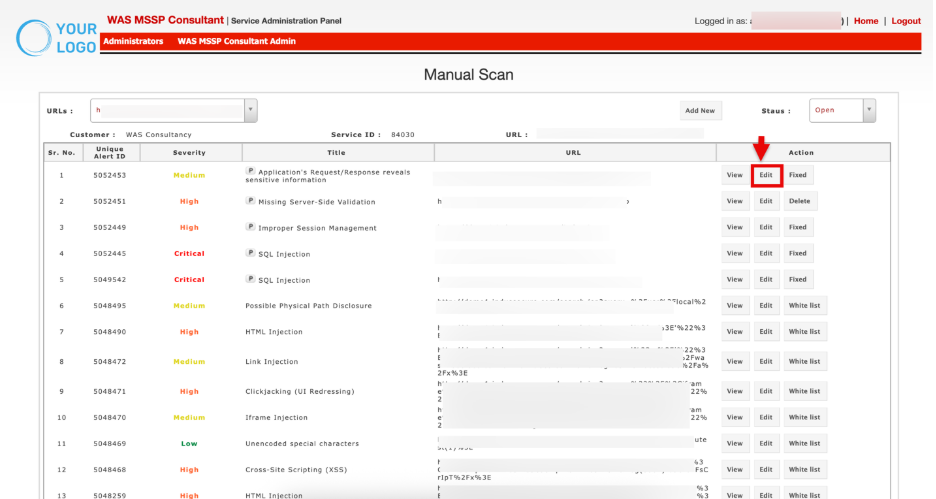
**Edit**: Click **Edit** to update details of the finding (severity, description, notes).
The **Edit Vulnerability** window will open for making changes
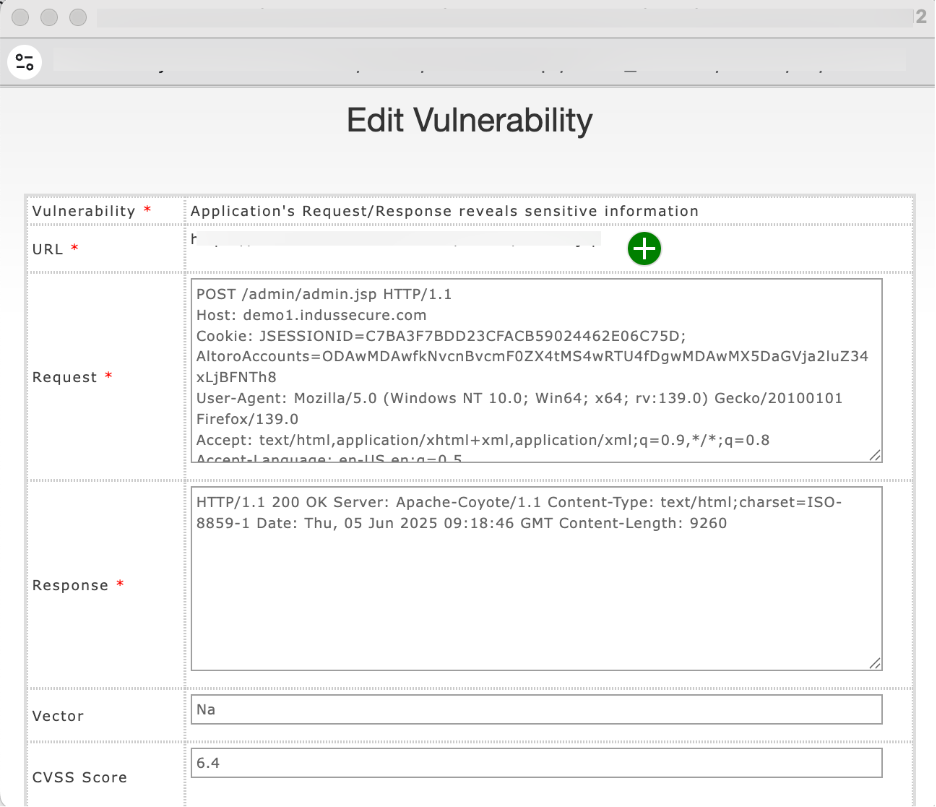
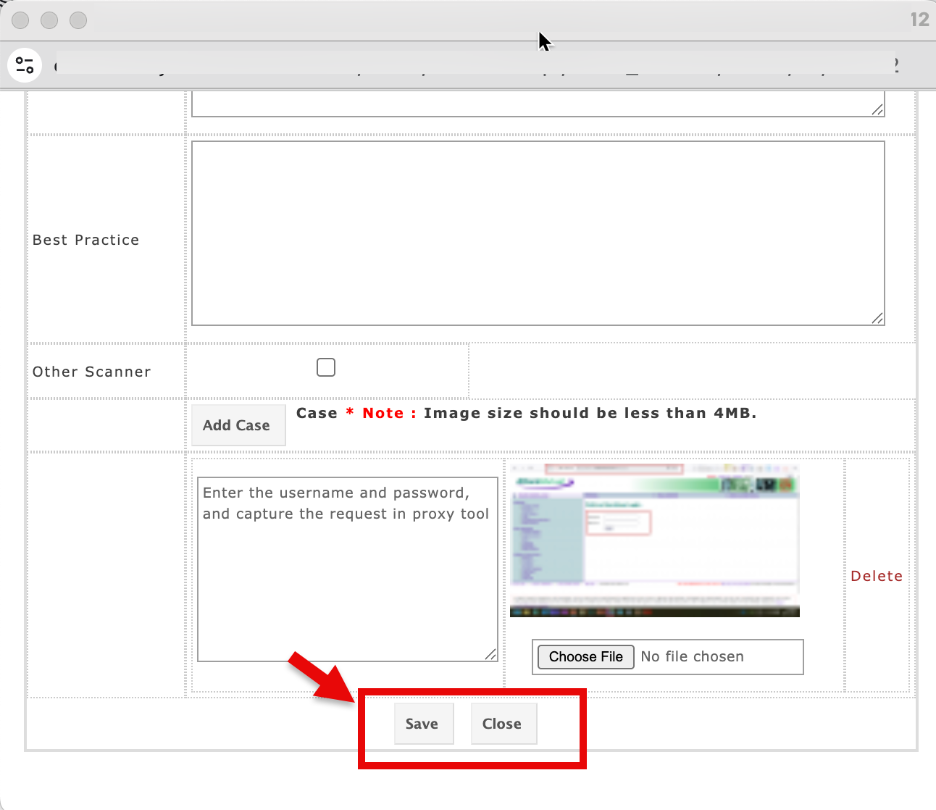
Make the necessary changes and Click **Save** to apply them.
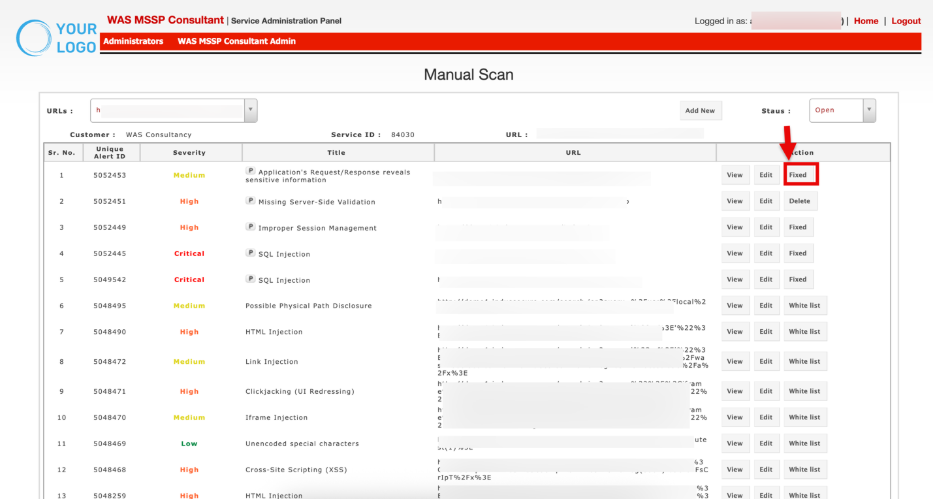
**Fixed**: Mark the vulnerability as remediated once verified.
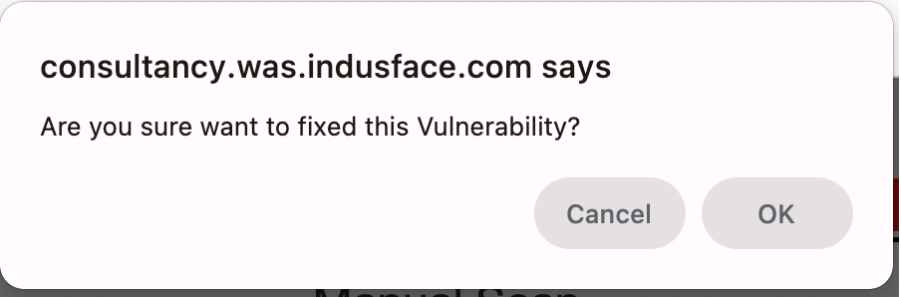
When you click the **Fixed** button, a confirmation prompt appears. Click **OK** to mark the vulnerability as fixed.
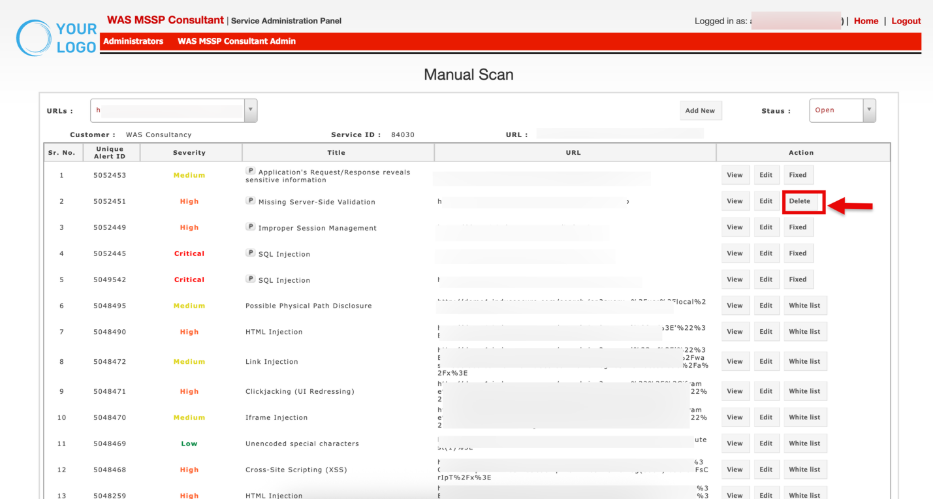
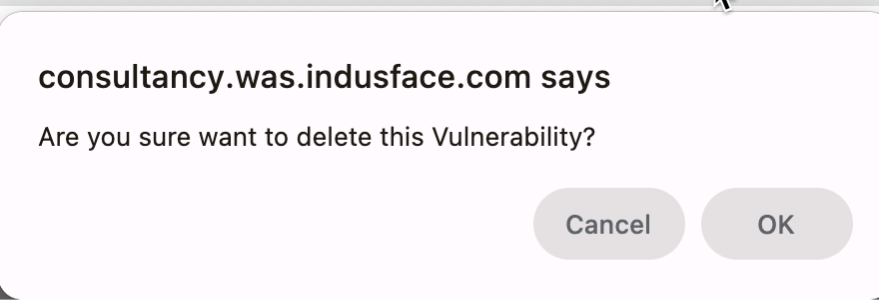
**Delete**: Permanently remove an entry if incorrectly logged.
When you click the **Delete** button, a confirmation prompt appears. Click **OK** to permanently remove the vulnerability.
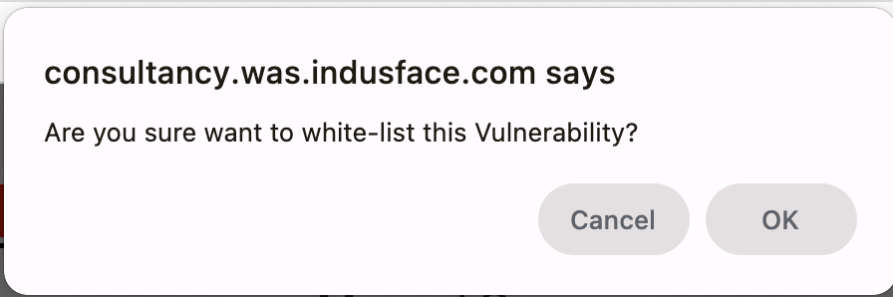
**Whitelist**: Select the **Whitelist** option to exclude the vulnerability from future scans.
Confirm the action in the prompt to apply the whitelist.
## Manual Scan Details
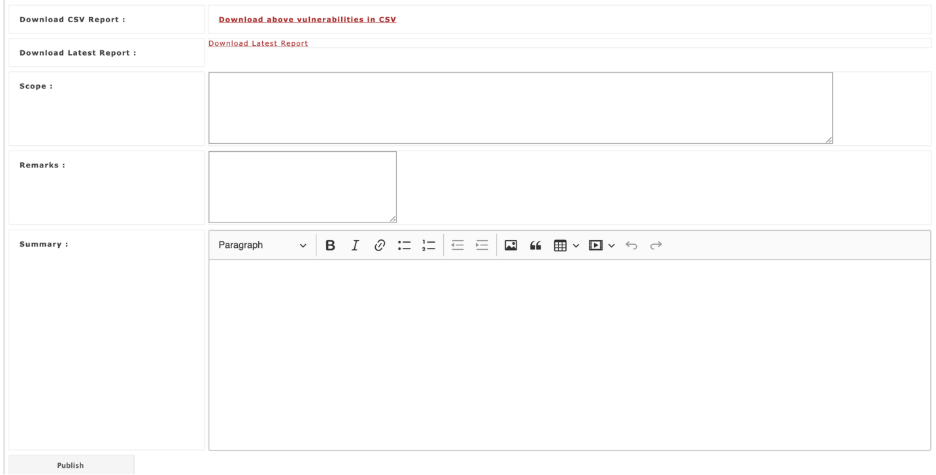
This section allows to provide detailed overview of API scan results, including remarks, summary, and validation status.
| **Section** | **Description** | **Purpose** |
| --- | --- | --- |
| Download Options | \- **Download CSV Report** – Export all vulnerabilities in CSV.- **Download Latest Report** – Export the most recent report. | Provides users with the latest vulnerability data in shareable formats. |
| Scope | Field to define the scope of actions (e.g., specific modules, URLs, or re-validation targets). | Clarifies which vulnerabilities or areas are affected. |
| Remarks | Notes or observations by the consultant. Example: “Payload still executes.” | Captures quick findings for context. |
| Summary | Detailed explanation (rich text) of the results or current status. | Provides a narrative for internal review or client communication. |
| Publish | Confirms consultant validation and updates the official report (if applicable). | Marks vulnerabilities as officially validated or noted. |
**Status Dropdown**:
Allows filtering of vulnerabilities by their resolution state. Options include:
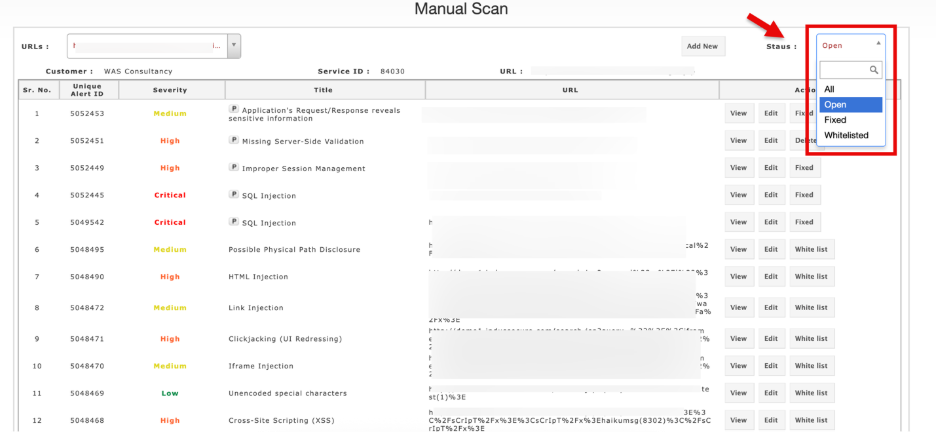
- **All** – Displays every vulnerability regardless of its state.
- **Open** – Shows vulnerabilities that are currently unresolved and need attention.
- *Fixed* - **Provides** vulnerabilities that have been remediated and verified.The popup window provides consultants and clients with downloadable reports, and an audit trail of all validation activities
- *Whitelisted:* The popup window provides consultants and clients with downloadable reports, and a record of the whitelisting decisions.