---
title: "List Vulnerability "
url: "https://docs.indusface.com/en/article/list-vulnerability-mssp-consultant"
language: "en"
last_updated: "2025-10-09T09:36:34.601Z"
---
# List Vulnerability
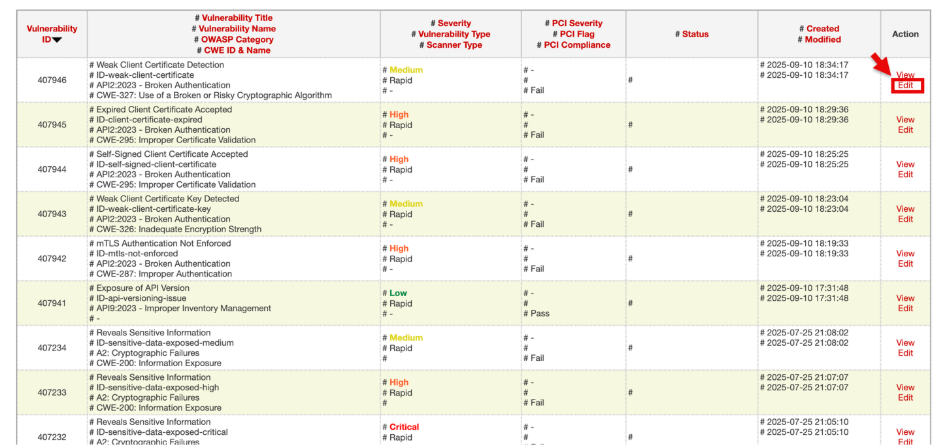
Acts as a centralized vulnerability repository. It consolidates findings from different scans (manual, automated, API) and external tools integrated via API, serving as the main vulnerability database for consultants.
## **Accessing Vulnerability Listing**
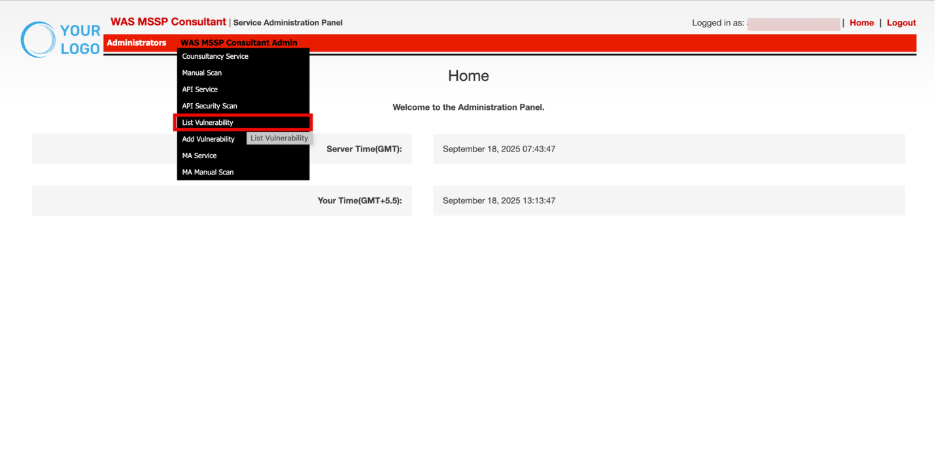
- Navigate to **WAS MSSP Consultant Admin.**
- Click **List Vulnerability**.
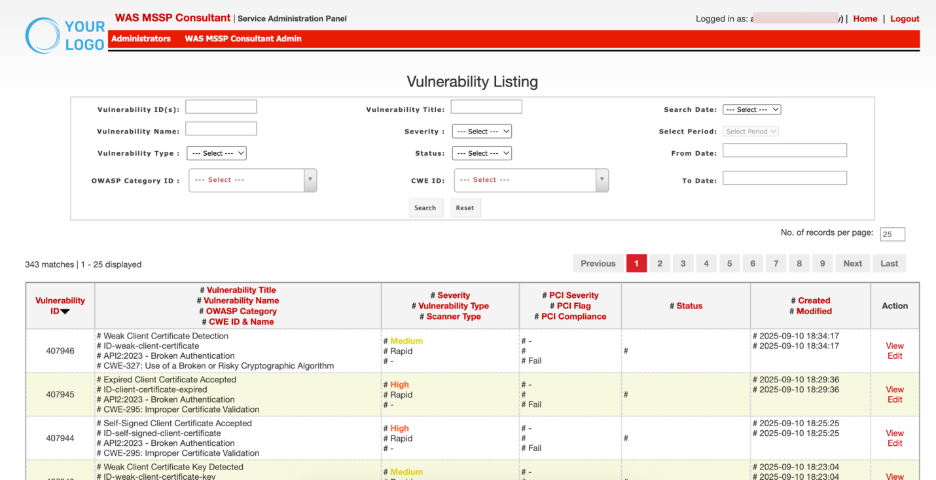
| **Parameters** | **Description** |
| --- | --- |
| Vulnerability ID | Vulnerbaility ID is a unique system-generated identifier for the integration |
| Vulnerability Title
Vulnerability Name
OWASP Category
CWE ID & Name | Contains complete details of the vulnerability for identification and classification. |
| Severity
Vulnerability Type
Scanner Type | Shows the criticality of the vulnerability, its type/category and which scanner/tool detected it. |
| PCI Severity
PCI Flag
PCI Compliance | Displays PCI DSS impact, indicating severity, whether it affects PCI compliance, and the compliance status. |
| Status | Reflects the status of the vulnerability(Active, Inactive or Whitelist) |
| Created Modified | Records the creation and last modification dates for tracking and audit purposes. |
| Action | Administrative controls for managing the vulnerability (View & Edit). |
## Filtering and Search Controls
Filters allow narrowing down the displayed vulnerabilities for quick lookups and efficient management.

| **Search Control** | **Description** |
| --- | --- |
| **Vulnerability ID(s)** | Enter one or multiple IDs to directly retrieve specific vulnerabilities. |
| **Vulnerability Title** | Search by the descriptive title of a vulnerability to locate known vulnerabilities quickly. |
| **Vulnerability Name** | Filter by standardized vulnerability names (e.g., SQL Injection, XSS) to find related issues. |
| **Severity** | Select the criticality level (Info, Low, Medium, High, Critical) to focus on high-risk vulnerabilities. |
| **Search Date** | Dropdown to filter vulnerabilities based on lifecycle dates such as Created On or Modified On |
| **Select Period** | Predefined time ranges like Today, Yesterday, or a Custom range to narrow results. |
| **From Date / To Date** | Specify a custom date range to refine search results within lifecycle or scan dates. |
| **Vulnerability Type** | Filter by category/type of vulnerability |
| **Status** | Choose the resolution state (Active, inactive or whitelist) to view current vulnerability conditions. |
| **OWASP Category ID** | Filter vulnerabilities based on OWASP Top 10 classification. |
| **CWE ID** | Narrow results using specific CWE identifiers for precise vulnerability tracking. |
**Steps:**
- Enter one or more desired fields (E.g. Vulnerbaility ID).
- Click **Search** to apply filters and refresh records.
- Click **Reset** to clear all filters and return to the default view.
### Action
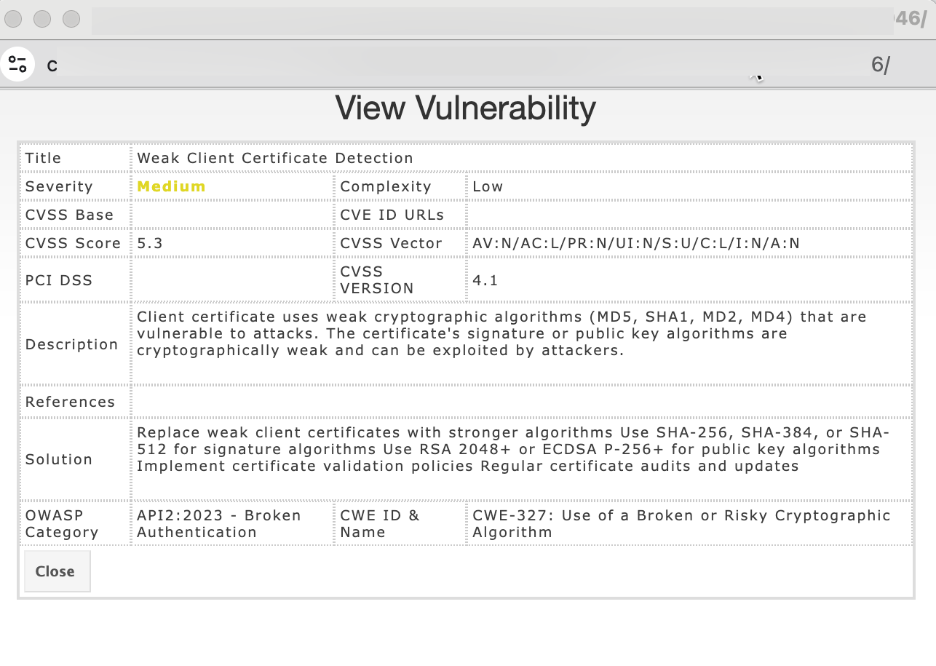
Click **View** to open detailed information about the vulnerability, including URL, request/response, CVSS score, business risks and recommendations.
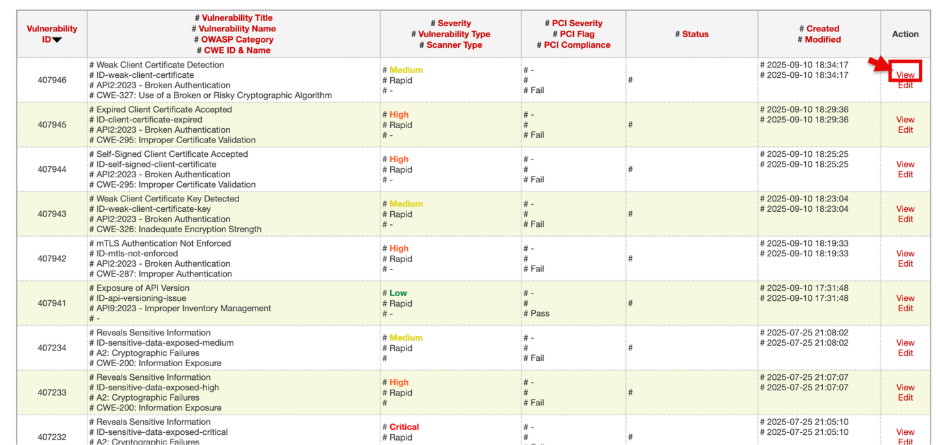
The **View Vulnerability** window will open in read-only mode.
Click **Edit** to update details of the finding (severity, description, notes).
The **Edit Vulnerability** window will open for making changes
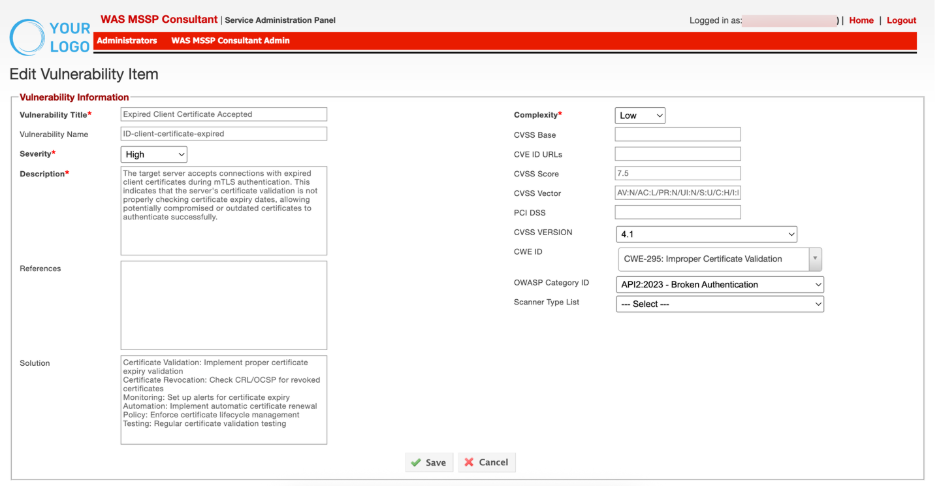
Make the necessary changes and Click **Save** to apply them.