---
title: "API Service "
url: "https://docs.indusface.com/en/article/api-service-mssp-consultant"
language: "en"
last_updated: "2025-10-09T09:26:34.160Z"
---
# API Service
Indusface MSSP WAS does support uploading scan results from external tools via API integration. The API Service section is indeed where those API endpoints are listed with their status/details.
## **Accessing API Service Listing**
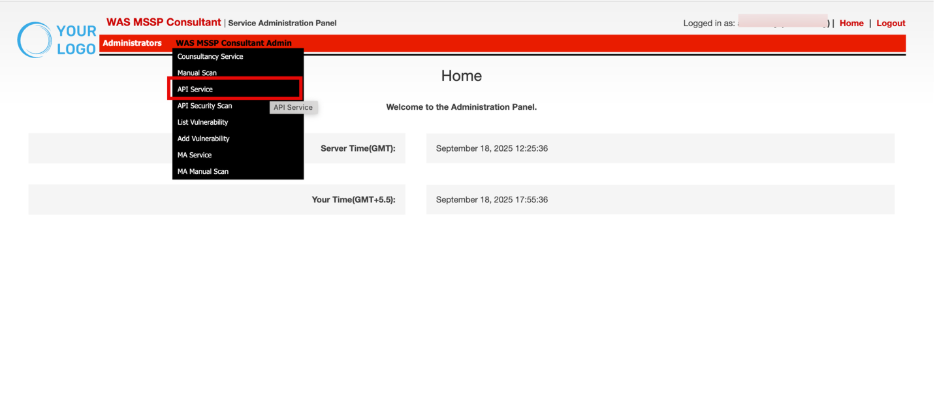
- Navigate to **WAS MSSP Consultant Admin.**
- Click **API Service**
| **Column Group** | **Description** |
| --- | --- |
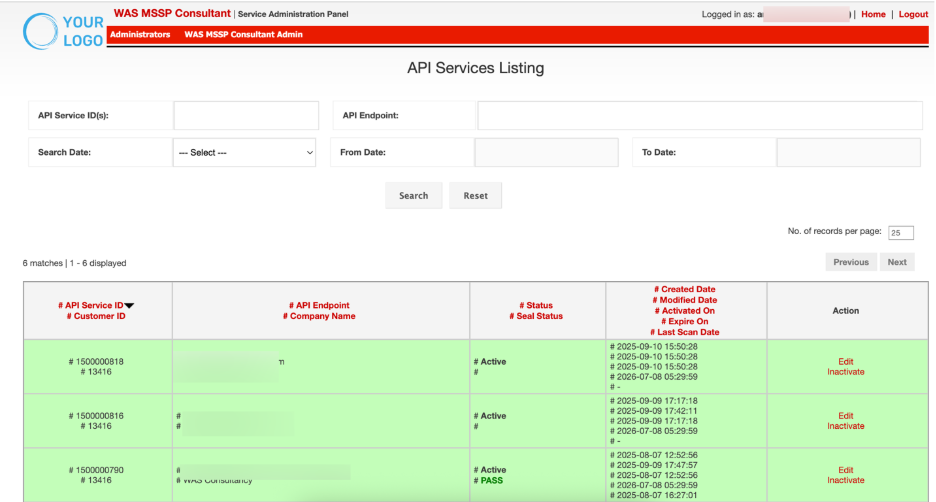
| **API Service ID**
**Customer ID** | API Service ID is a unique system-generated identifier for the integration, while the Customer ID ties the service to a specific client account. |
| **API Endpoint**
**Company Name** | Identifies the target API endpoint and the associated company. |
| **Status**
**Seal Status** | The Status reflects whether the API integration is active, inactive, or pending. The Seal Status indicates the current validity of the security seal. |
| - **Created Date**
- **Modified Date Activated On**
- **Expiry On**
- **Last Scan Date** | Lifecycle events of the API service, including creation, modifications, activation, expiration, and last scan data submission. |
| **Action** | Provides administrative controls for managing the API service, such as editing details or disabling an integration. |
## Filtering and Search Controls
Filters allow narrowing down the displayed API service records for quick lookups and efficient management.

| **Control** | **Description** |
| --- | --- |
| **API Service ID(s)** | Enter one or multiple API Service IDs to retrieve exact records. |
| **API Endpoint** | Search for API services by specifying the endpoint URL. |
| **Search Date** | Dropdown filter to sort records by specific lifecycle dates. Options include: *Created On, Modified On, Activated On, Expire On, Last Scan On.* |
| **From Date, To Date** | Further data based filtering. Specify a custom date range to refine search results. |
**Steps:**
- Enter one or more desired fields (e.g., API Service ID, API Endpoint).
- Click **Search** to apply filters and refresh records.
- Click **Reset** to clear all filters and return to the default view.

## Viewing and Managing Records
This section table displays the filtered API services.
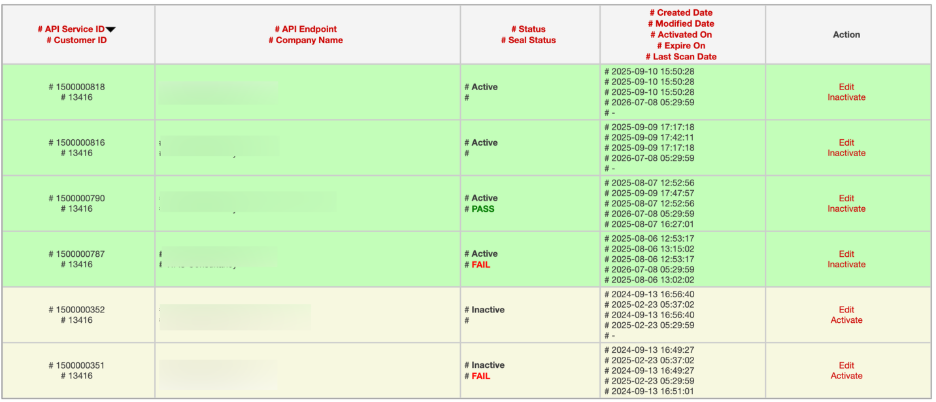
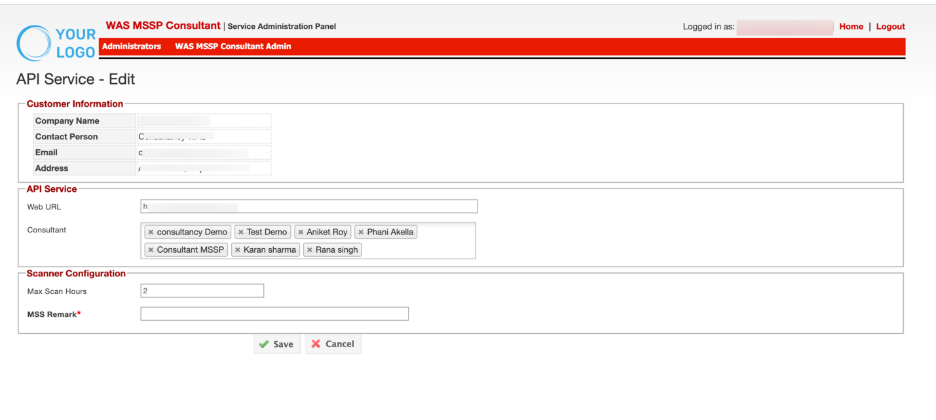
- Use the **Edit** link to update API service details or correct entries.
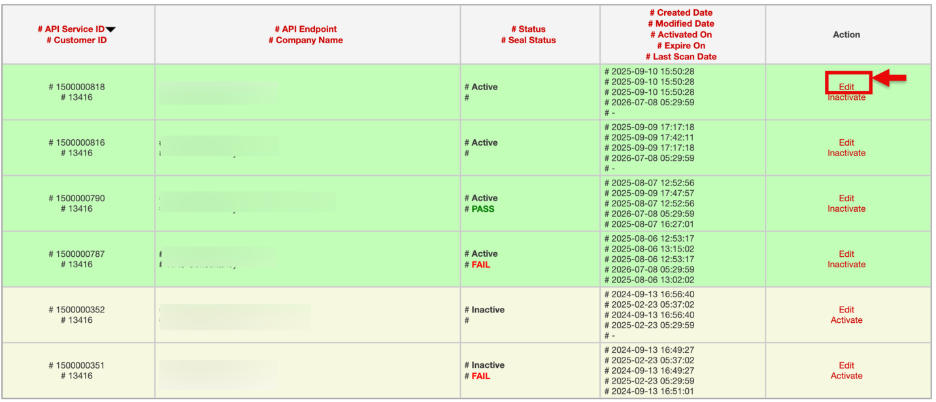
- The **API Service Edit** window will open. Make the changes and click **Save** to apply them.
- Use the **Inactivate** link to disable an API service that is no longer valid or should be paused.
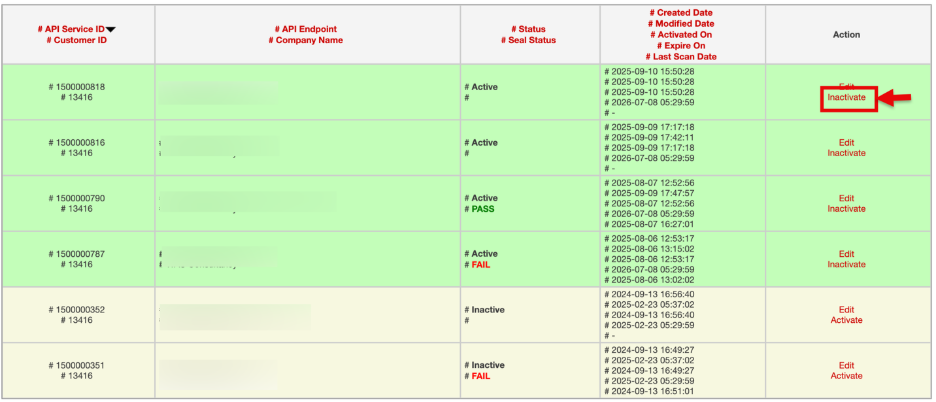
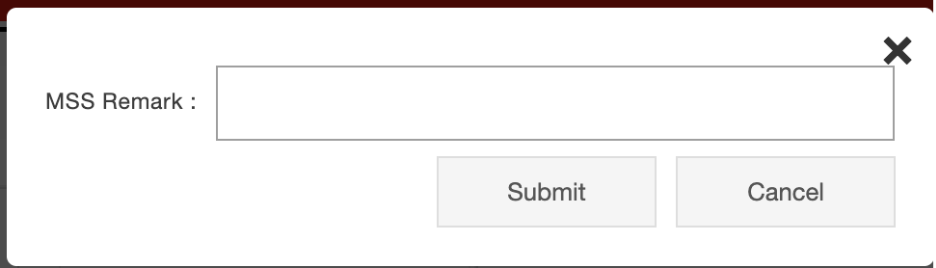
Enter the MSS reason and click **Submit** to confirm.