---
title: "API Security Audit "
url: "https://docs.indusface.com/en/article/api-security-audit-mssp"
language: "en"
last_updated: "2025-09-16T07:16:21.784Z"
---
# API Security Audit
## 1\. Self-Onboarding API Host
MSSPs can onboard APIs for scanning either through **self-service** or with assistance from the **Indusface Support Team**.
> APIs are available as an add-on to the MSSP license.
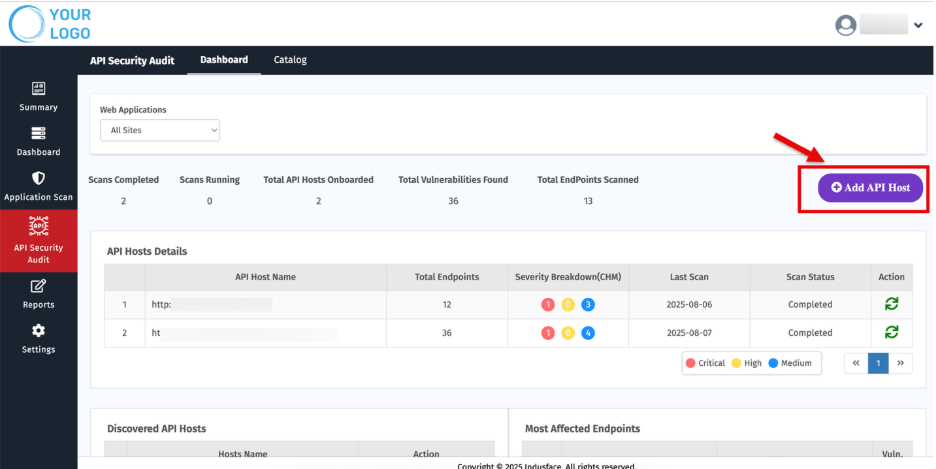
2\. Click **“Add API Host.”**
3\. Select your license. You will also be notified with the following details:
- Total licenses available
- Remaining licenses
- License expiry date
- Applicable promo codes for adding
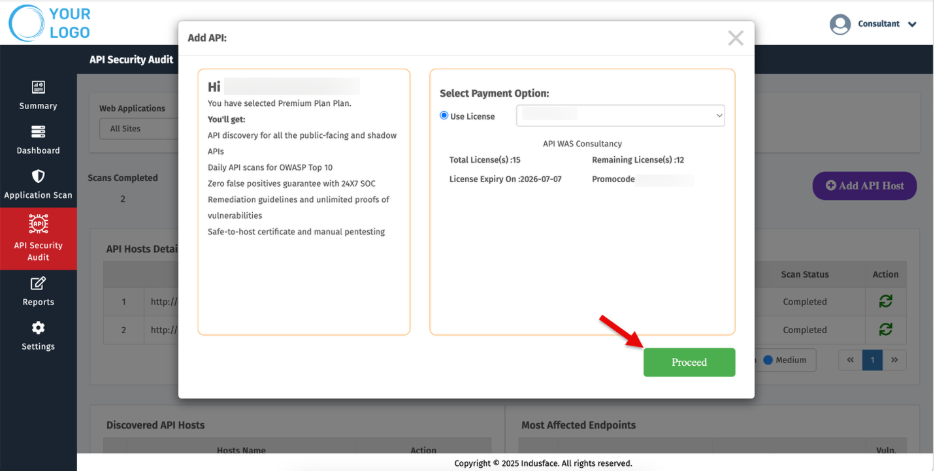
4\. Click **Proceed.**
#### **Enter API Details**
5\. Enter the **API URL** in the respective field.
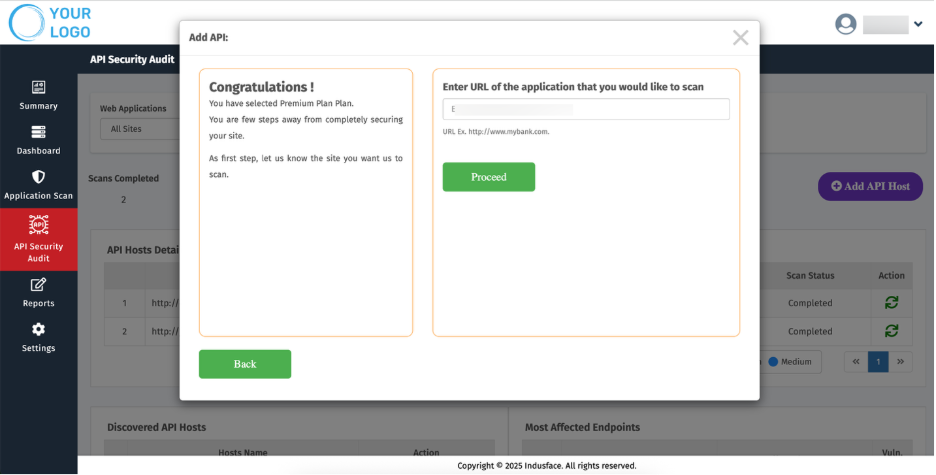
6\. Click **Proceed.**
#### **Upload Postman File**
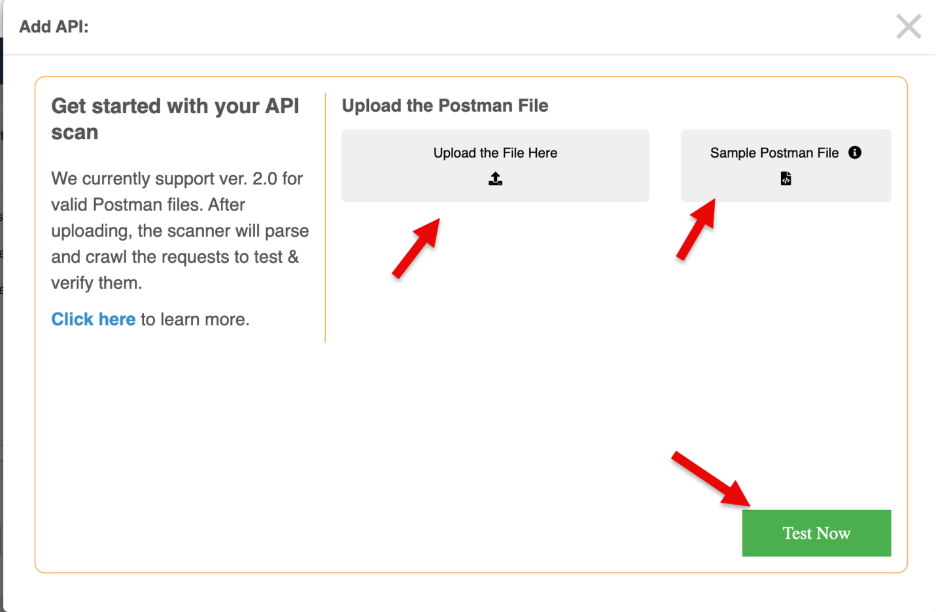
7\. Upload your Postman file.
> A **sample API file** is provided to help you understand the required JSON structure.
8\. The maximum file size allowed is **10MB.**
9\. Click **Test Now.**
#### **Review Uploaded File**
10\. Once the Postman file is uploaded successfully, you will be redirected to a new page.
11\. This page displays the **basic information** from the Postman file along with required inputs to initiate the scan.
#### **Start the Scan**
12\. Click **Start Scan.**
13\. You will be redirected to the **API Security Dashboard**, where you can monitor scan results and details.
## 2.Dashboard
Dashboard provides a complete view of your onboarded APIs, their scan status, vulnerabilities, and trends.
### **1\. Overview**
The Top section provides a quick snapshot of API security activities and scan results.
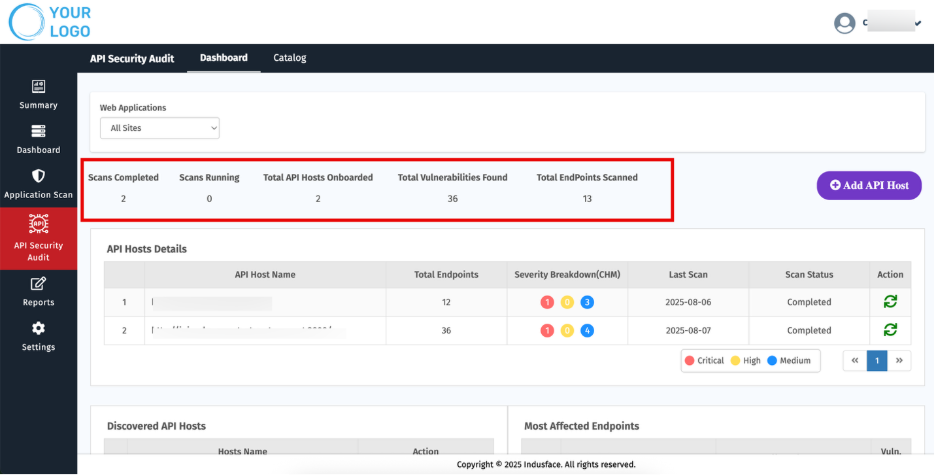
| **Metric** | **Description** |
| --- | --- |
| Scans Completed | Number of scans successfully finished. |
| Scans Running | Ongoing scans currently in progress. |
| Total API Hosts Onboarded | APIs that have been added for scanning. |
| Total Vulnerabilities Found | Total count of vulnerabilities detected across all scans. |
| Total Endpoints Scanned | Number of endpoints covered during the scans. |
### **2\. API Host Details**
This section displays all onboarded API hosts with key information for quick reference.

| **Parameter** | **Description** |
| --- | --- |
| API Host Name | Name of the onboarded API host. |
| Total Endpoints | Number of endpoints associated with the host. |
| Severity Breakdown (CHM) | Distribution of detected vulnerabilities by Critical, High, and Medium. |
| Last Scan | Date when the most recent scan was performed. |
| Scan Status | Indicates whether a scan is pending, in progress, or completed. |
| Actions | Options to **Start Scan** the host. |
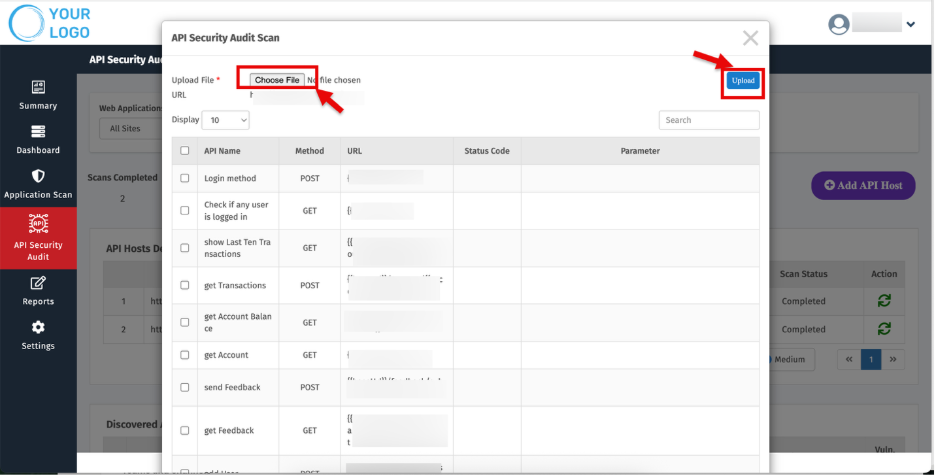
**Steps to Initiate a Scan for a Host**
- Click the **Start Scan** icon.

- Upload the **Postman file**.
- Click **Upload**, then select **Start Scan**.
### 
### **3\. Discovered API Hosts**
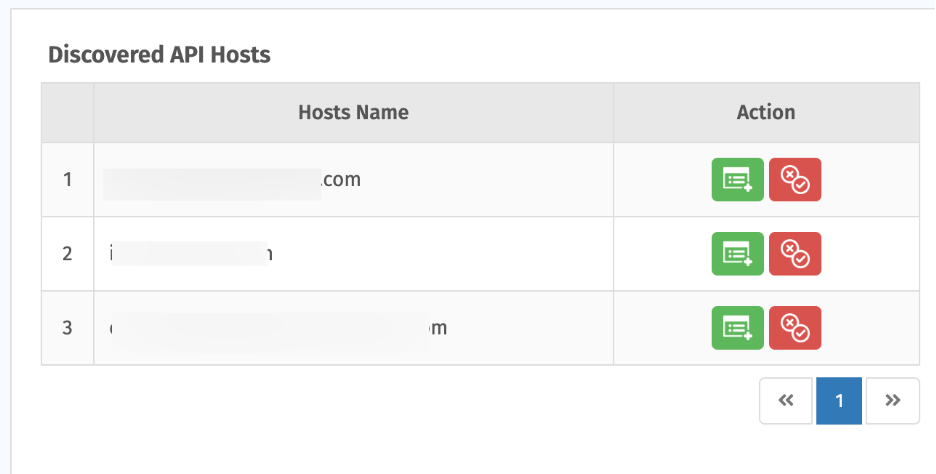
Displays API hosts identified but not yet onboarded. You can:
- **Add for Scan** — onboard and start scanning.
- **Mark as False Positive** — remove items not in scope.
### 
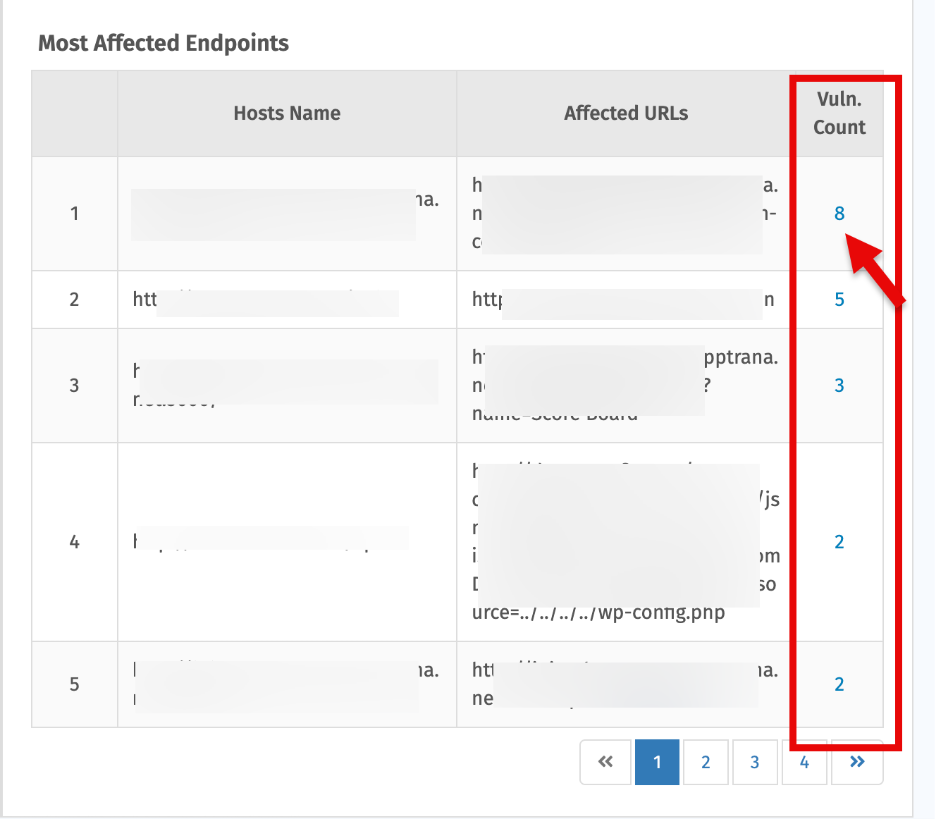
### **4\. Most Affected Endpoints**
- Shows endpoints with the highest vulnerability counts

- Click the vulnerability count to open a summary of detailed findings.
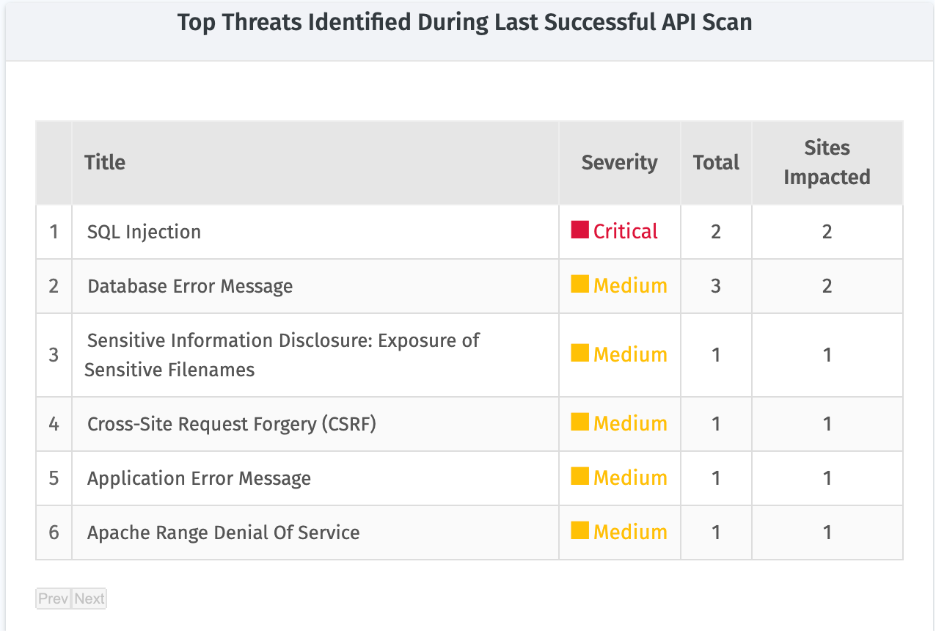
### **5\. Top Threats Identified During Last Successful Application Audit Scan**
Shows the top vulnerabilities from the latest successful scan, with details on severity, occurrence, and impacted sites
### 
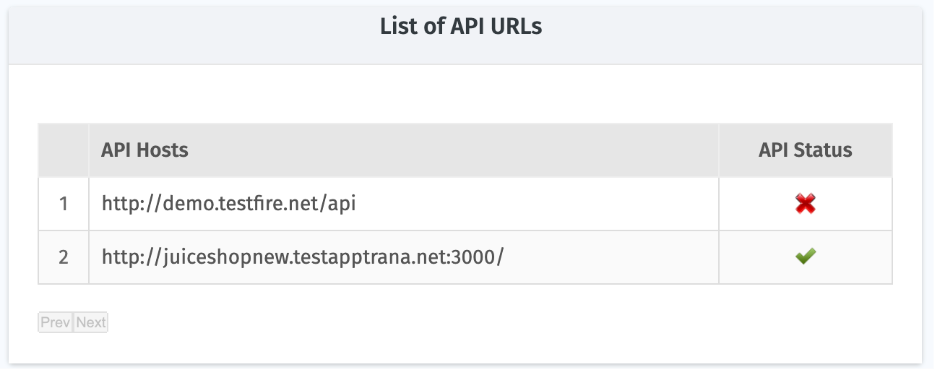
### **6\. List of API URLs**
Shows API hosts with their associated endpoints and scan statuses
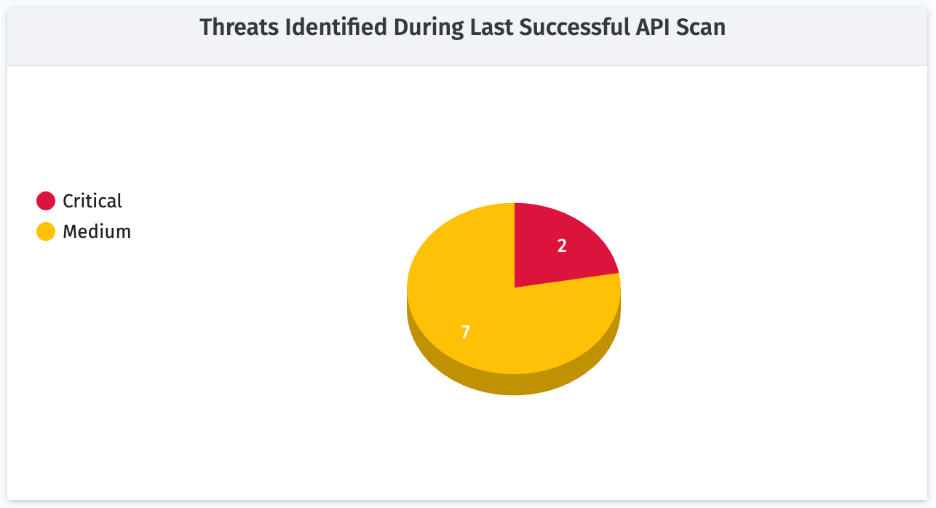
### **7\. Threats from Last Successful API Scan**
A pie chart showing vulnerabilities grouped by severity detected in the most recent successful scan.
### 
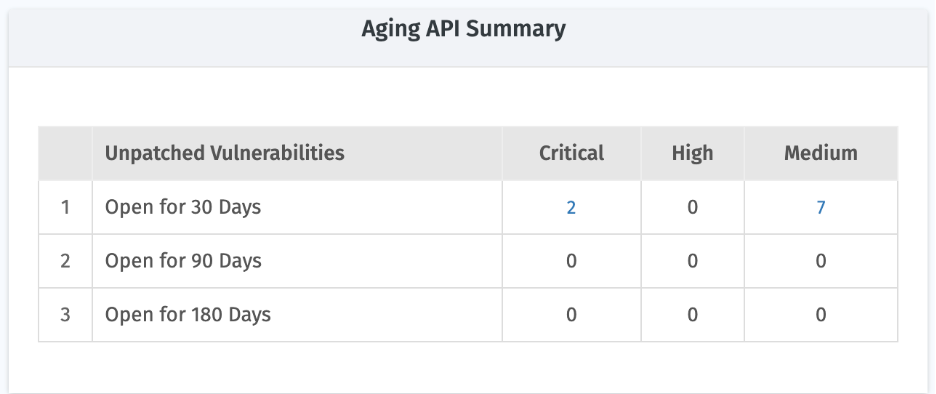
### **8\. API Aging Summary**
Breaks down unpatched vulnerabilities based on how long they have remained open:
### 
### **9**. **Vulnerability Trends for Previous Weeks**
Weekly view showing how vulnerabilities have changed over time. Useful for tracking remediation progress.
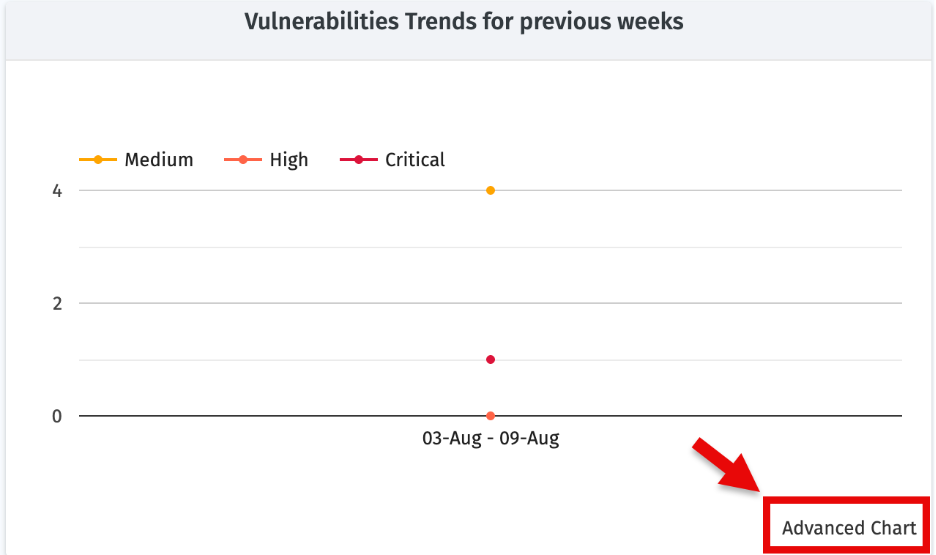
Click **Advanced Chart** for for deeper analysis and report generation.
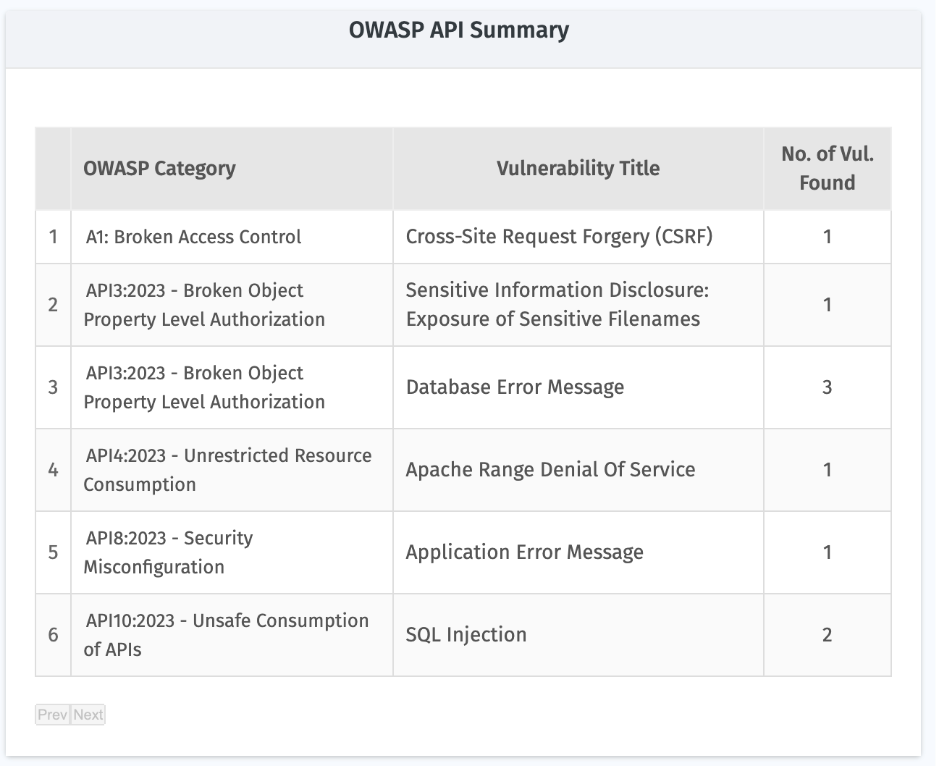
### **10\. OWASP API Summary**
Maps detected vulnerabilities against the OWASP API Top 10 categories. Helps align fixes with industry-recognized best practices and compliance needs.
### Selecting and Viewing Detailed Audit Details
The Indusface WAS MSSP platform allows you to select a specific API to view detailed audit results, analyze vulnerabilities, and share the findings with your customers.
Navigate to Select **In Sites** (**All Sites** by default).
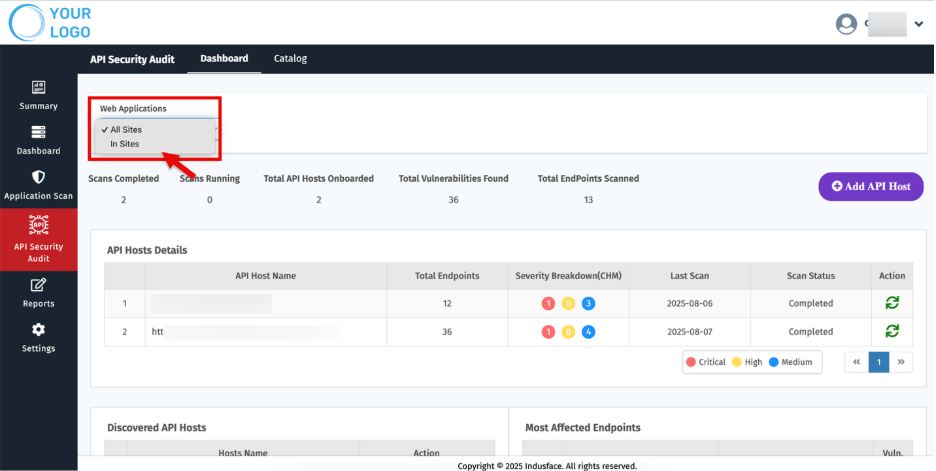
- Choose the relevant **Asset** you want to review.
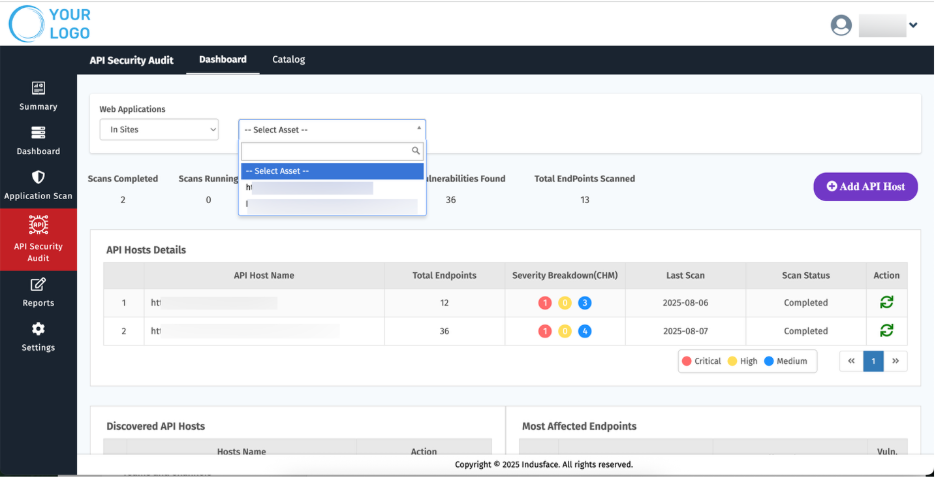
- Once selected, the platform displays all relevant API security audit details and scan history for that API.
For example:
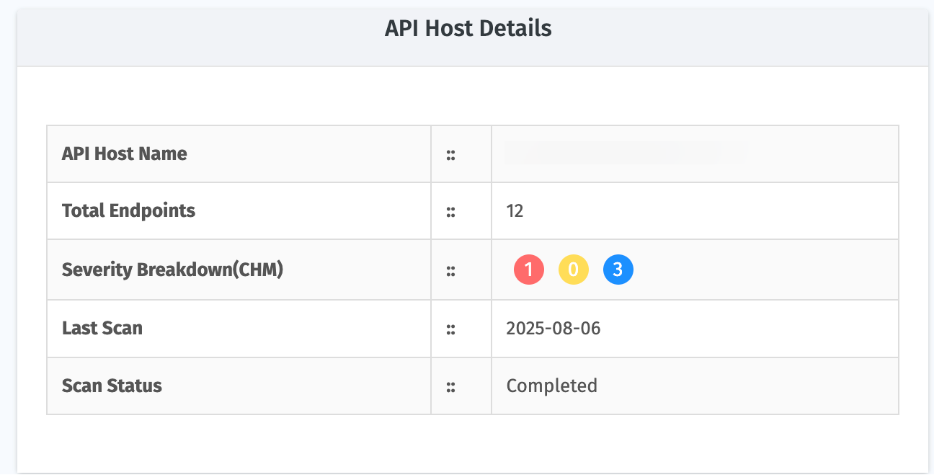
#### API Host Details
- Shows general details about the selected application and audit scope.
#### Scan API Summary
- Provides a consolidated view of automated scans, including severity, total vulnerabilities, and scan type.
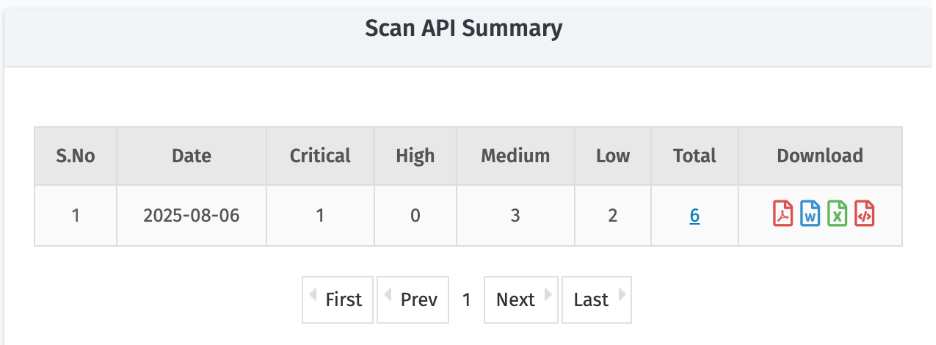
| **Parameter** | **Description** |
| --- | --- |
| Date | Scan date |
| Critical / High / Medium / Low | Number of vulnerabilities categorized by severity |
| Total | Overall number of vulnerabilities detected |
| Download | Different formats available for report export
- PDF – Standard executive report
- JSON – For MSSP partners to ingest reports into centralized tools
- CSV – Tabular report for further analysis
- Word – Editable format to modify and share customized reports with customers |
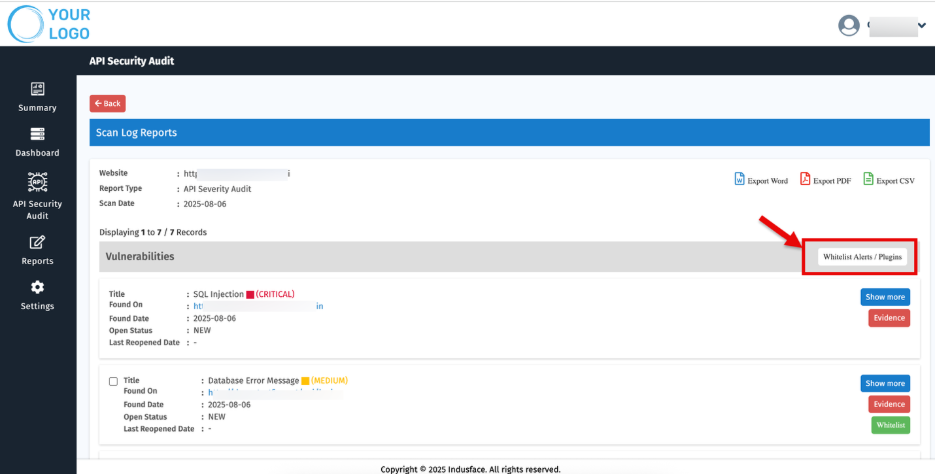
- To know more about identified vulnerabilities, Click the total count of vulnerabilities for a particular API scan.
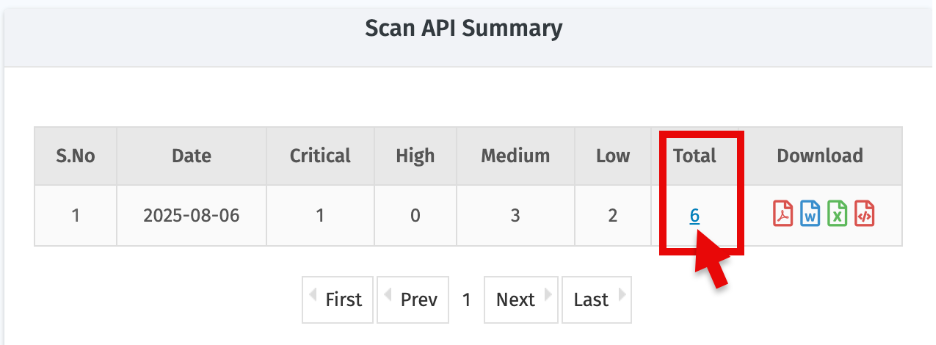
- A detailed list of vulnerabilities will open:
- Click **'Show more'** to view additional details, including evidence such as tampered requests and responses
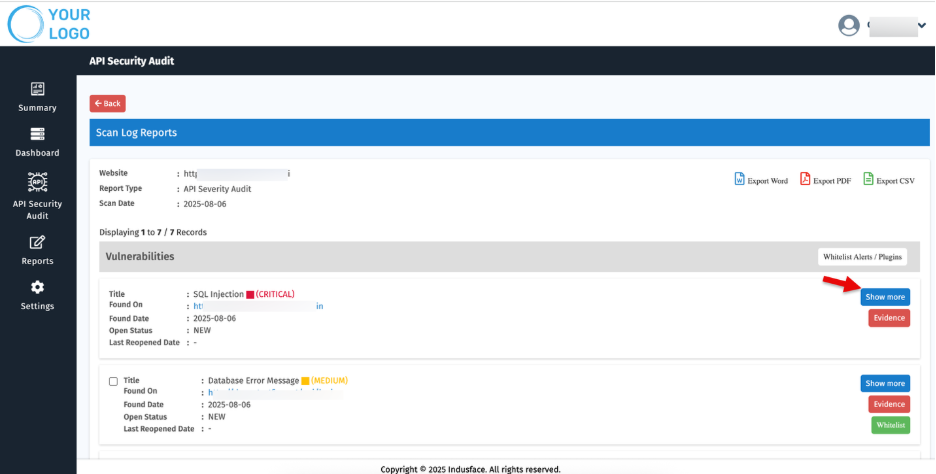
- These are generated automatically by the PoC tool and verified by our Managed Security Team, ensuring zero false positives.
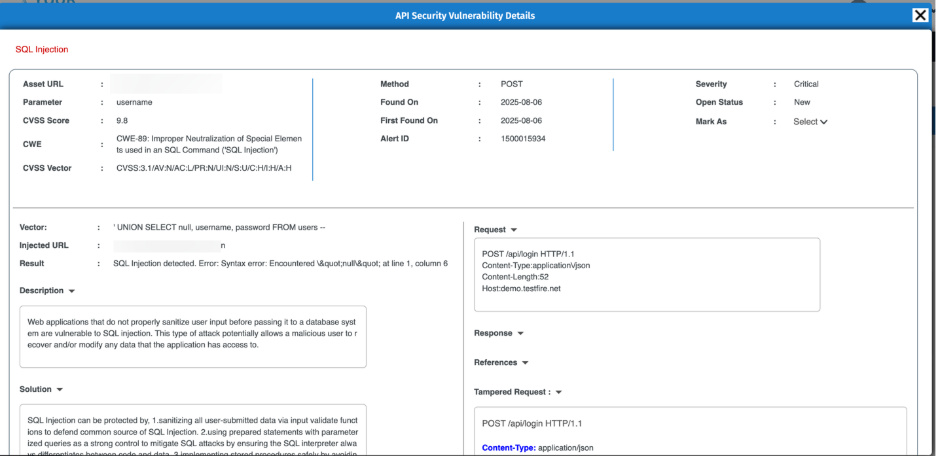
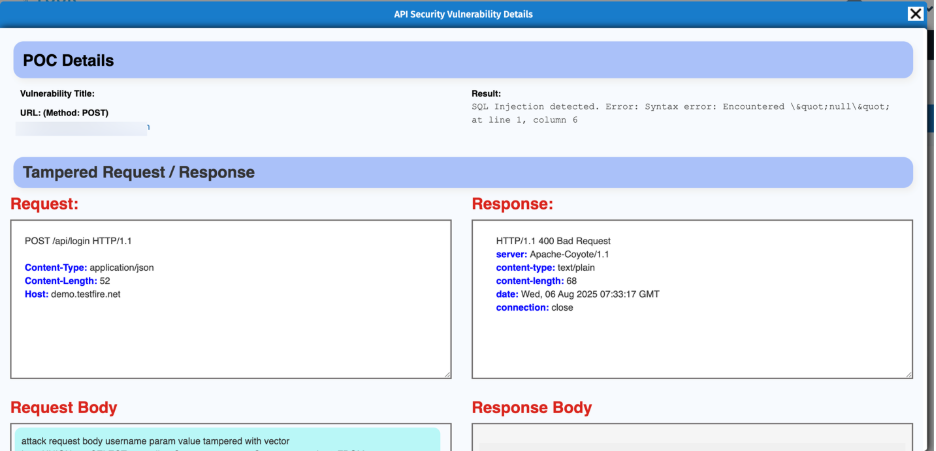
- Click the **‘Evidence’** to understand why the vulnerability is marked as valid, supported by automated proof-of-concept and tampered request/response data.
- **Whitelisting Options** – You can whitelist alerts or plugins if required.
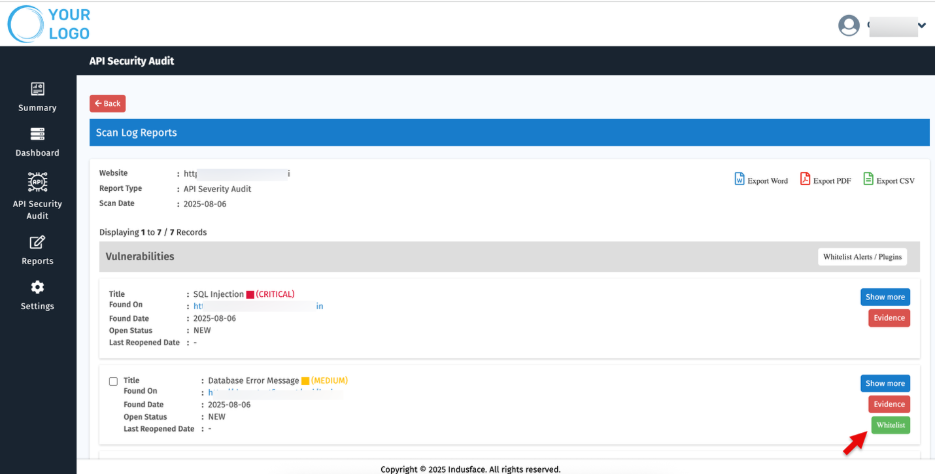
> Vulnerabilities with Critical severity cannot be whitelisted.
- Select Multiple vulnerabilities and use **'Whitelist Alerts/ Plugins**” to whitelist them in bulk.
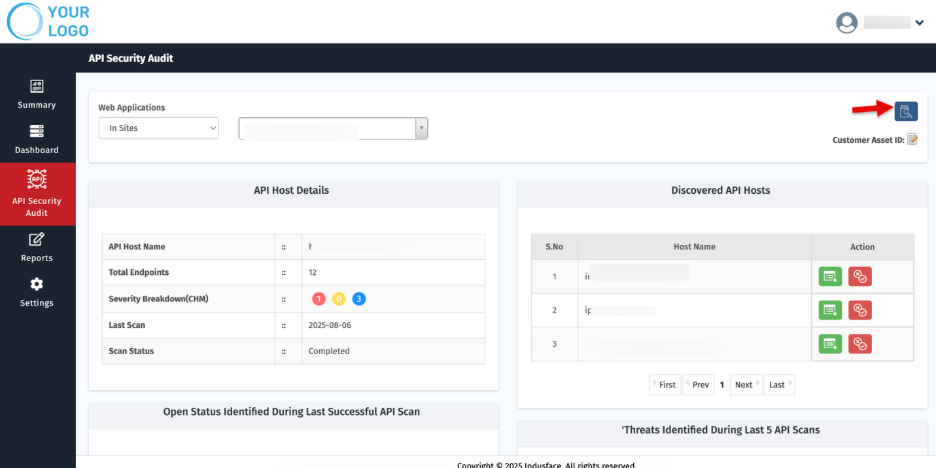
### Quick Access: Initiate API Scans
Use the ‘**Scan Now’** option to initiate a scan for the selected APIs.
#### Customer Asset ID
Managing multiple clients and websites can be complex. **Customer Asset IDs** provide MSSPs with short, unique labels for quick identification and streamlined reporting.
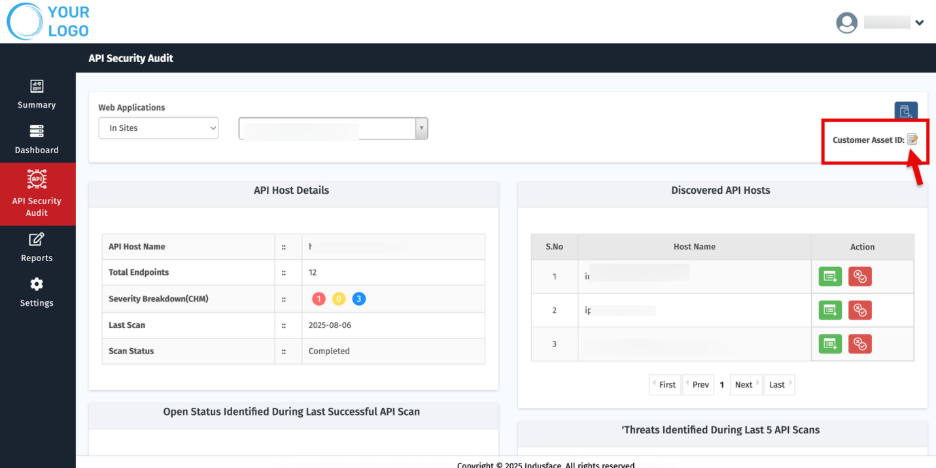
**Set or Update Customer Asset ID**
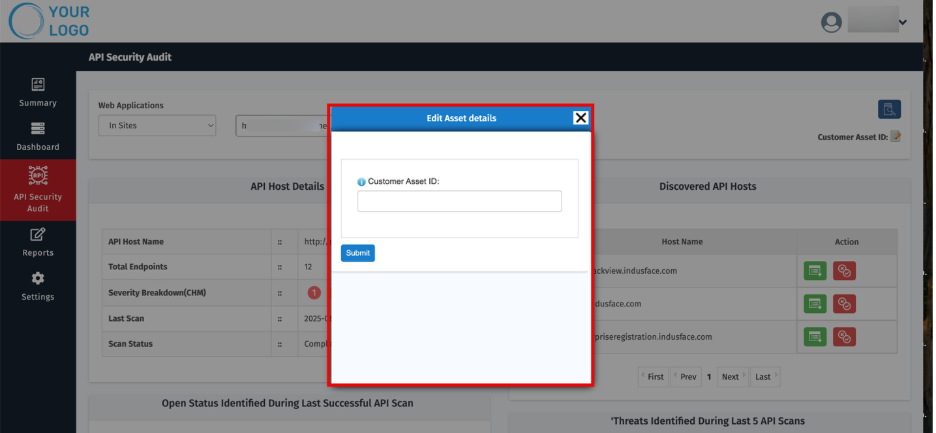
- On the site’s Dashboard, click the **Edit** icon next to **Customer Asset ID**. The **Edit Customer Asset ID** popup appears.
- Click **Submit**.
## 
## 3\. Catalog
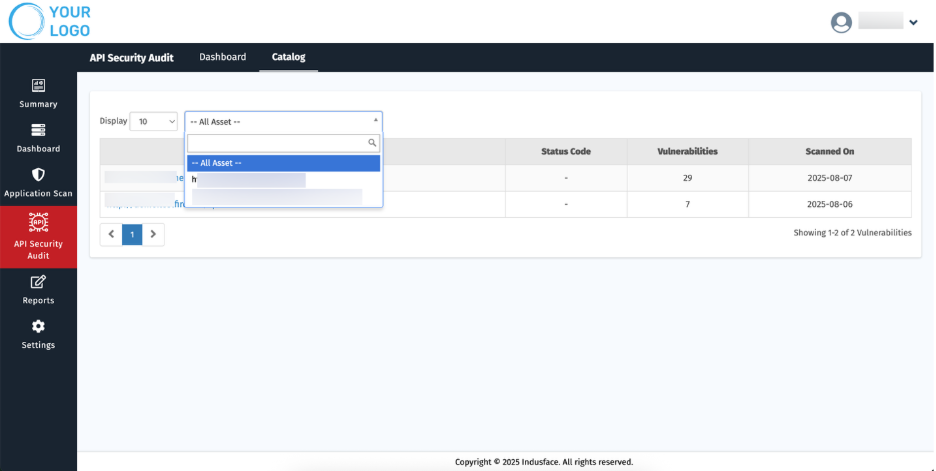
This section provides information about the onboarded API hosts, their scan results, and also displays the endpoints specific to each API host.
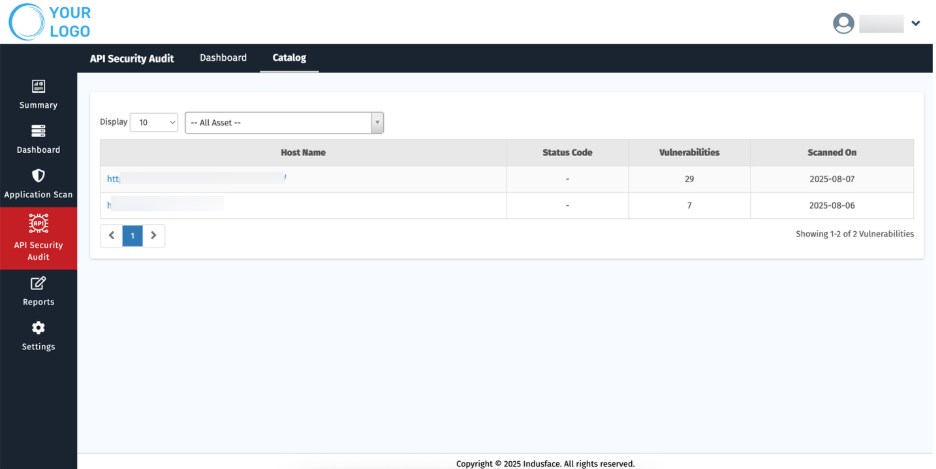
| **Parameter** | **Description** |
| --- | --- |
| **Host Name** | Displays the name of the onboarded API host. It also includes each scanned endpoint and the associated API request HTTP method. |
| **Status Code** | Shows the HTTP response code returned during the scan. |
| **Vulnerabilities** | Indicates the total number of vulnerabilities identified. |
| **Scanned On** | Displays the date when the API scan was performed. |
The dashboard allows you to filter the displayed information based on your preference:
- **All Assets** – View details of every onboarded asset in a consolidated view.
- **Specific Asset** – Use the dropdown menu to select a particular asset and view its individual scan details.