---
title: "API Protection "
url: "https://docs.indusface.com/en/article/api-protection-apptrana"
language: "en"
last_updated: "2025-11-28T10:30:30.311Z"
---
# API Protection
AppTrana ensures secure and compliant API usage by managing security statuses, endpoint configurations, and authentication mechanisms.
- Go to **API Security** and select the **API Protection** option
- Use the **All Domains** filter to choose the site where your APIs are hosted
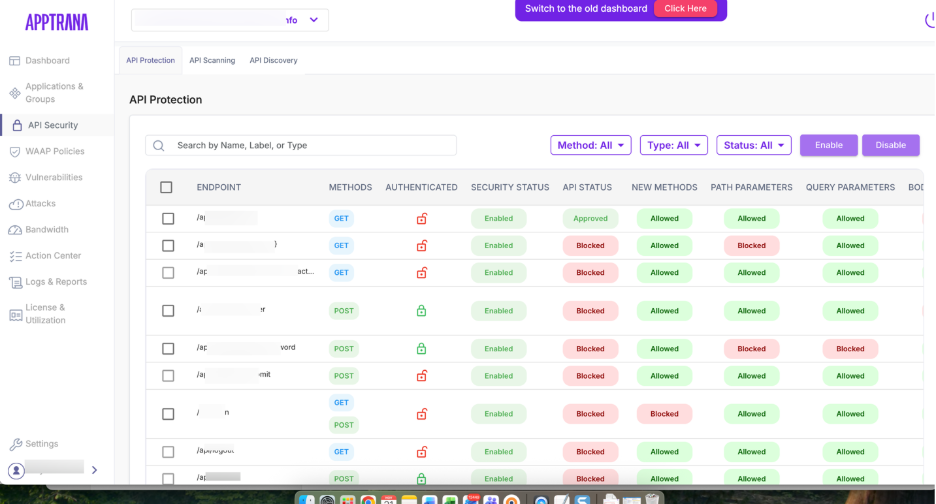
- The API Protection dashboard provides a clear overview of all API endpoints, methods, and their statuses. The sections include:
### Search
The search bar allows you to quickly find a specific endpoint, label, or type by entering keywords.
### Filter
Three filter types help refine the list:
- **Method:** GET, POST, PUT, DELETE, etc.
- **Type:** Sensitive APIs, Authenticated APIs
- **Status:** Pending Review, Pending Discovery, Approved, etc

## API Overview
| **Column** | **Description** |
| --- | --- |
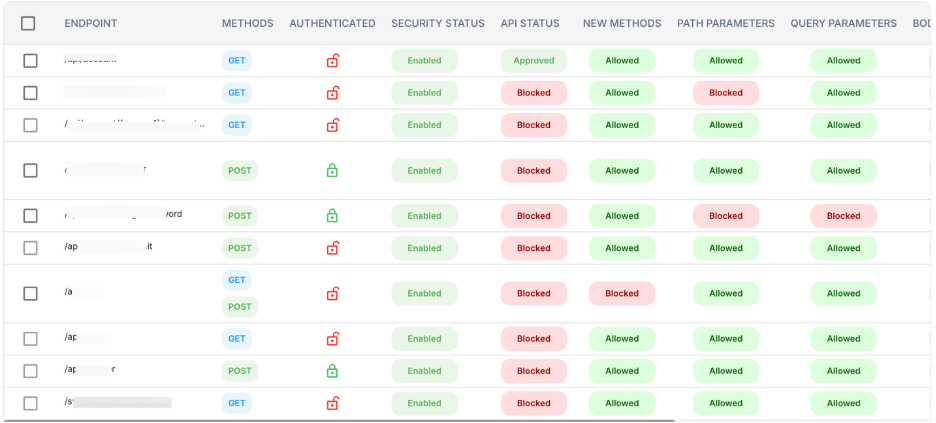
| **Endpoint** | The unique identifier for the API endpoint. This is the URL path used for each API operation. |
| **Methods** | The HTTP methods allowed for the endpoint (e.g., GET, POST, PUT, DELETE). Indicates what kind of operations are allowed for this endpoint. |
| **Authenticated** | Indicates whether authentication is required for the endpoint.
**Locked**: Authentication is required.
**Unlocked**: No authentication is required. |
| **Security Status** | The status of the endpoint’s security. This indicates whether the security for the endpoint has been validated and approved.
**Approved**: Endpoint is secure.
**Blocked**: Endpoint is blocked due to security concerns. |
| **API Status** | Shows whether the method for the endpoint is allowed or blocked.
**Allowed**: The method is permitted.
**Blocked**: The method is restricted. |
| **New Methods** | Indicates whether new methods or features have been added for the endpoint. Typically reflects any newly discovered or configured API methods. |
| **Path Parameters** | Displays whether path parameters (variables in the URL) are allowed for the endpoint.
**Allowed**: Path parameters can be used.
**Blocked**: Path parameters are not allowed. |
| **Query Parameters** | Indicates whether query parameters (parameters in the URL query string) are allowed.
**Allowed**: Query parameters are permitted.
**Blocked**: Query parameters are not allowed. |
| **Body Parameters** | Displays whether body parameters (data sent in the body of a POST request) are allowed for the endpoint.
**Allowed**: Body parameters can be used.
**Blocked**: Body parameters are restricted. |
| **Actions** | Provides actions that can be performed on the endpoint. Common actions include configuring security settings or enabling/disabling the endpoint. |
| **Tag** | A label that provides additional metadata or categorization for the endpoint (e.g., PII\_NAME). Tags often help classify the data or protection rules applied. |
| **Discovered On** | The timestamp showing when the endpoint was first discovered or added to the system. This helps track when the API was identified for protection. |
### Enable/Disable APIs
- These controls allow users to enable or disable the positive security model to the API.
- Click the specific API enpoints to enable/disable the security model.
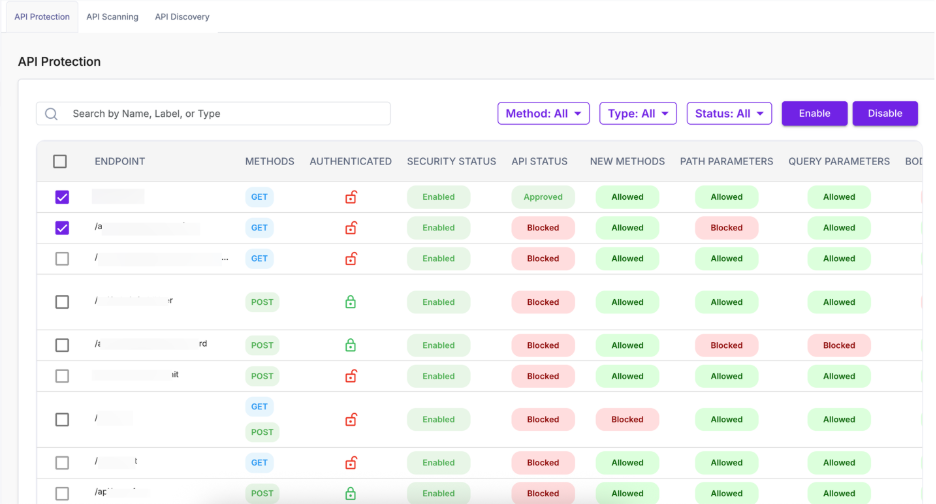
- Click **Enable** to enable the policy
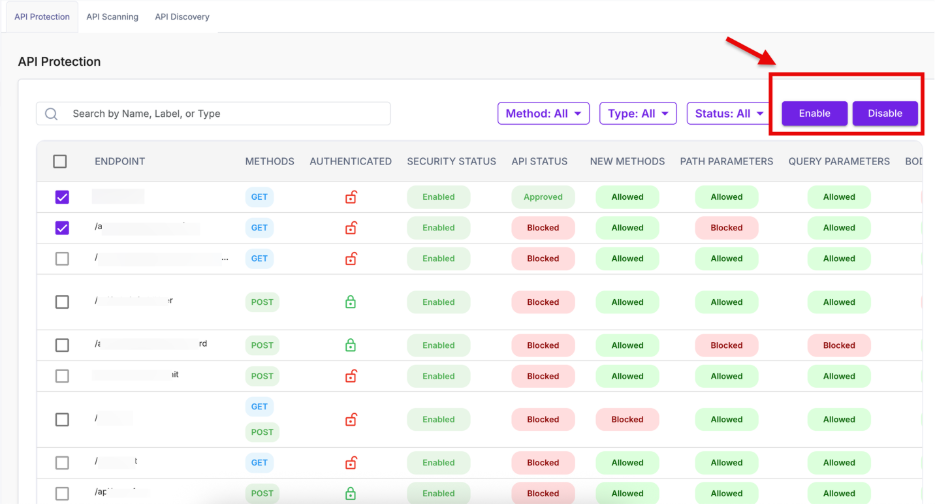
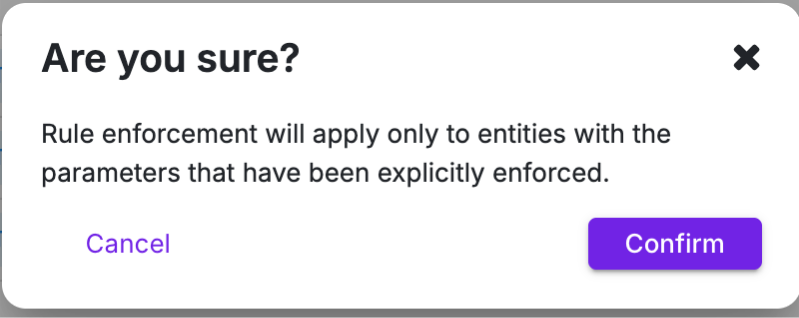
- A confirmation pop-up appears. Click **Confirm.**
### Configure
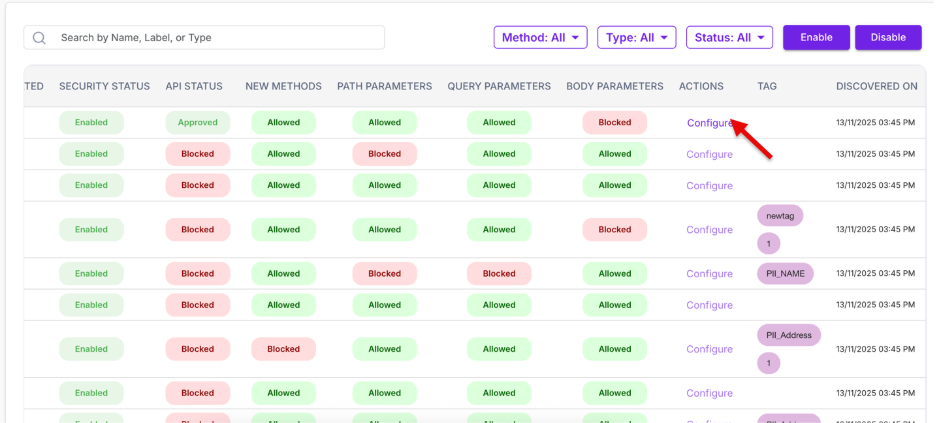
- In the API list, go to the **Action** column for the endpoint you want to configure.
- Click **Configure**.
- The **Configure Discover Policy** window will appear.
- From here, user can set the required rules and behavior for the selected API.
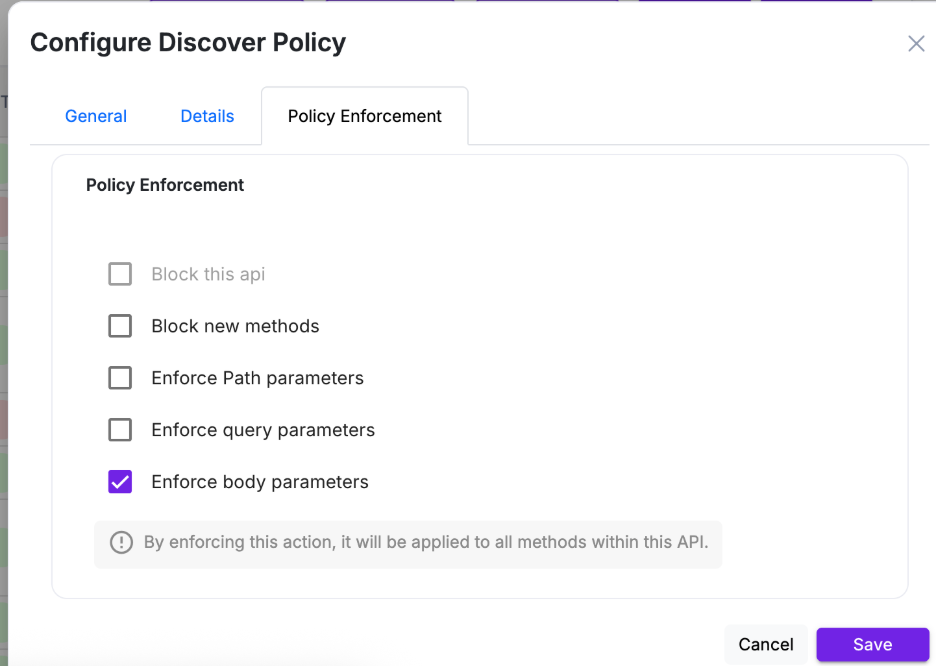
- For a detailed breakdown of all available configuration options, refer to the **Configure Discover Policy** section.
Policies available:
| **Policy** | **Description** |
| --- | --- |
| Block this API | Fully restricts access to the endpoint. |
| Block new methods | Only permits previously observed HTTP methods. |
| Enforce Path Parameters | Blocks requests containing unknown URL patterns. |
| Enforce Query Parameters | Allows only known query fields based on discovered traffic. |
| Enforce Body Parameters | Ensures only recognized body attributes are permitted. |
All enforcement rules apply across all detected methods for the endpoint.